
10.1 Inch PCAP Touch Display: The Definitive 2026 Professional Guide
News
Mar-13-2026
A 10.1 inch pcap touch display is the premier choice for modern industrial terminals, medical monitors, and high-end interactive kiosks. This specific form factor strikes the perfect balance between high-definition visual real estate and compact device design. Unlike older resistive technologies, Projected Capacitive (PCAP) systems offer 10-point multi-touch, exceptional optical clarity, and rugged durability. In today's hardware market, selecting the right touch interface is the difference between a seamless user experience and a frustrating technical failure.
What is a 10.1 Inch PCAP Touch Display?
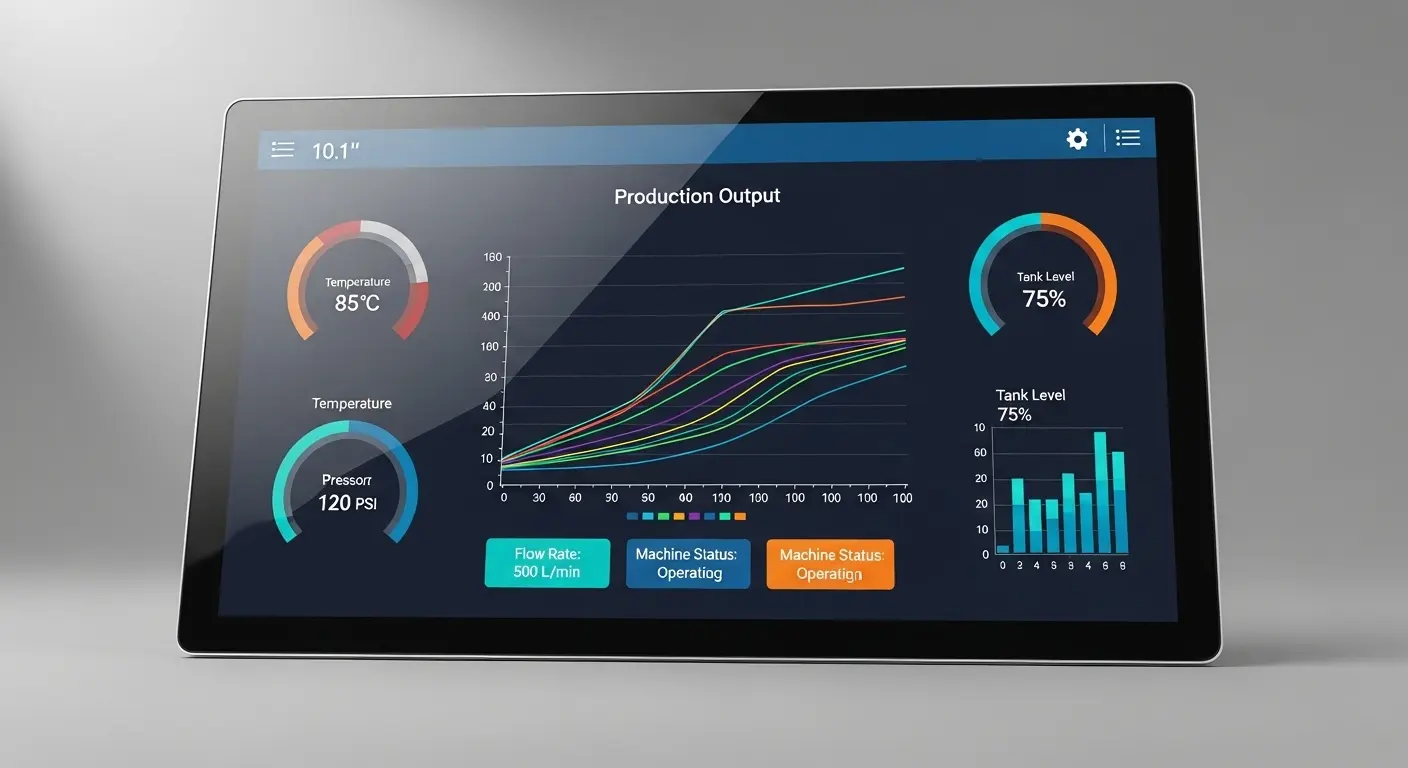
A 10.1 inch pcap touch display is a high-resolution interface that utilizes an electrostatic grid to detect touch through a protective glass cover. It consists of a sensor layer, a controller IC, and a cover lens. This technology allows for fluid gestures like pinching, swiping, and zooming, while maintaining a slim profile suitable for professional and industrial integration across various sectors.
When we talk about "PCAP," we are referring to a system that doesn't require physical pressure. I remember a project back in 2020 where a client insisted on using resistive screens for a factory floor to save costs. Within six months, the plastic layers had delaminated due to heat and frequent cleaning. We swapped them for a 10.1-inch touch screen display with PCAP technology. The result? Zero maintenance calls for three years and a significantly happier workforce.
The 10.1-inch size is particularly popular because it matches the 16:10 aspect ratio of many standard industrial motherboards. It provides enough space for complex dashboards without making the overall housing too bulky for wall mounting or handheld use.
Why Choose PCAP Technology Over Resistive Screens?
You should choose PCAP technology because it offers superior durability, optical transparency, and multi-touch capabilities. PCAP sensors are protected by a solid glass cover, making them resistant to scratches, chemicals, and impact. Unlike resistive screens that wear out after repeated use, a PCAP sensor remains responsive for millions of touches, providing a smartphone-like experience in a ruggedized industrial package.
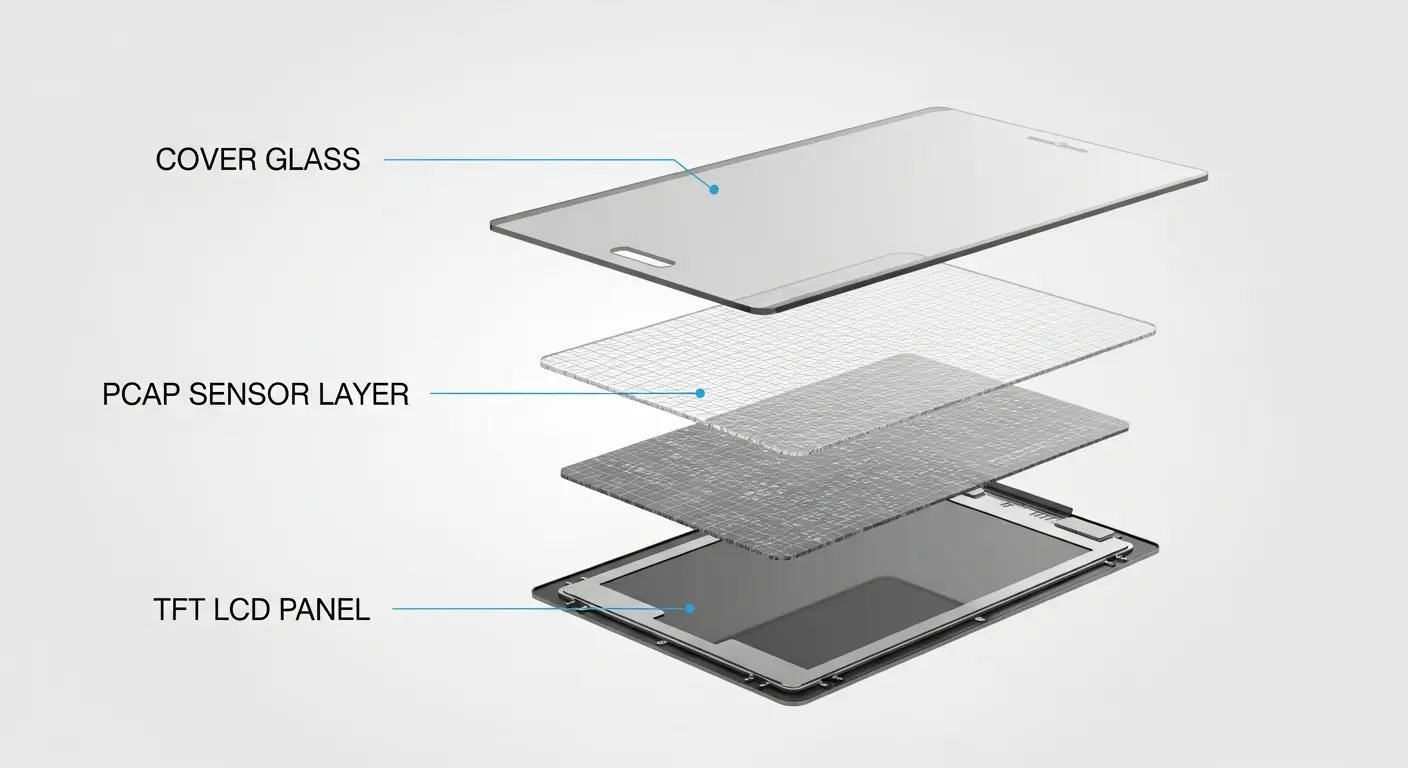
In my years of consulting, the "Multi-Touch" requirement is often the deciding factor. If your software requires zooming into blueprints or rotating 3D models, resistive tech simply won't work. By integrating a 10.1-inch TFT LCD touch display, you gain the ability to use complex gestures that are intuitive to any modern user.
Comparison of Touch Technologies
| Feature | PCAP (Projected Capacitive) | Resistive (4-Wire/5-Wire) |
| Touch Method | Electrostatic (Conductive) | Physical Pressure |
| Multi-Touch | Up to 10 points | Single point only |
| Transparency | >85% - 90% | ~75% - 80% |
| Durability | High (Glass Surface) | Low (Plastic Film) |
| Input Tool | Finger, Stylus, Thin Gloves | Any object |
What Are the Key Specifications to Look For?
The key specifications for a 10.1 inch pcap touch display include a resolution of 1280x800 or 1920x1200, an I2C or USB interface, and a transparency rate above 85%. You must also verify the operating temperature range, which should ideally be -20°C to +70°C for industrial use. Additionally, check for EMI/EMC compliance to ensure the touch controller doesn't suffer from electrical noise in high-voltage environments.
When I review data sheets for clients, I always look for the "Signal-to-Noise Ratio" (SNR). In a factory setting, electrical noise from motors can cause "ghost touches." High-quality best capacitive touch screen brands use advanced controller ICs (like ILITEK or EETI) that filter this noise effectively.
Critical Metrics for Industrial Panels
- Brightness: At least 350-500 nits for indoor use; 1000+ nits for outdoor.
- Hardness: Look for a Mohs scale rating of 6H or 7H.
- Interface: USB is "Plug and Play," while I2C is better for embedded Android/Linux systems.
- Response Time: Should be less than 10ms for a lag-free experience.
How Does a 10.1 Inch TFT LCD Touch Display Improve UX?
A 10.1 inch TFT LCD touch display improves the user experience by providing vibrant color reproduction, wide viewing angles, and instantaneous response times. By merging the display and touch layers into a single module, manufacturers eliminate parallax errors—the visual gap between the image and the touch point. This precision is vital for medical applications where accurate data entry can be a matter of safety.
In the 2026 hardware landscape, users expect zero lag. If you are building a smart home hub, the 10.1-inch TFT LCD touch display acts as the face of your product. If the colors are washed out or the touch is inaccurate, the perceived value of the entire device drops.
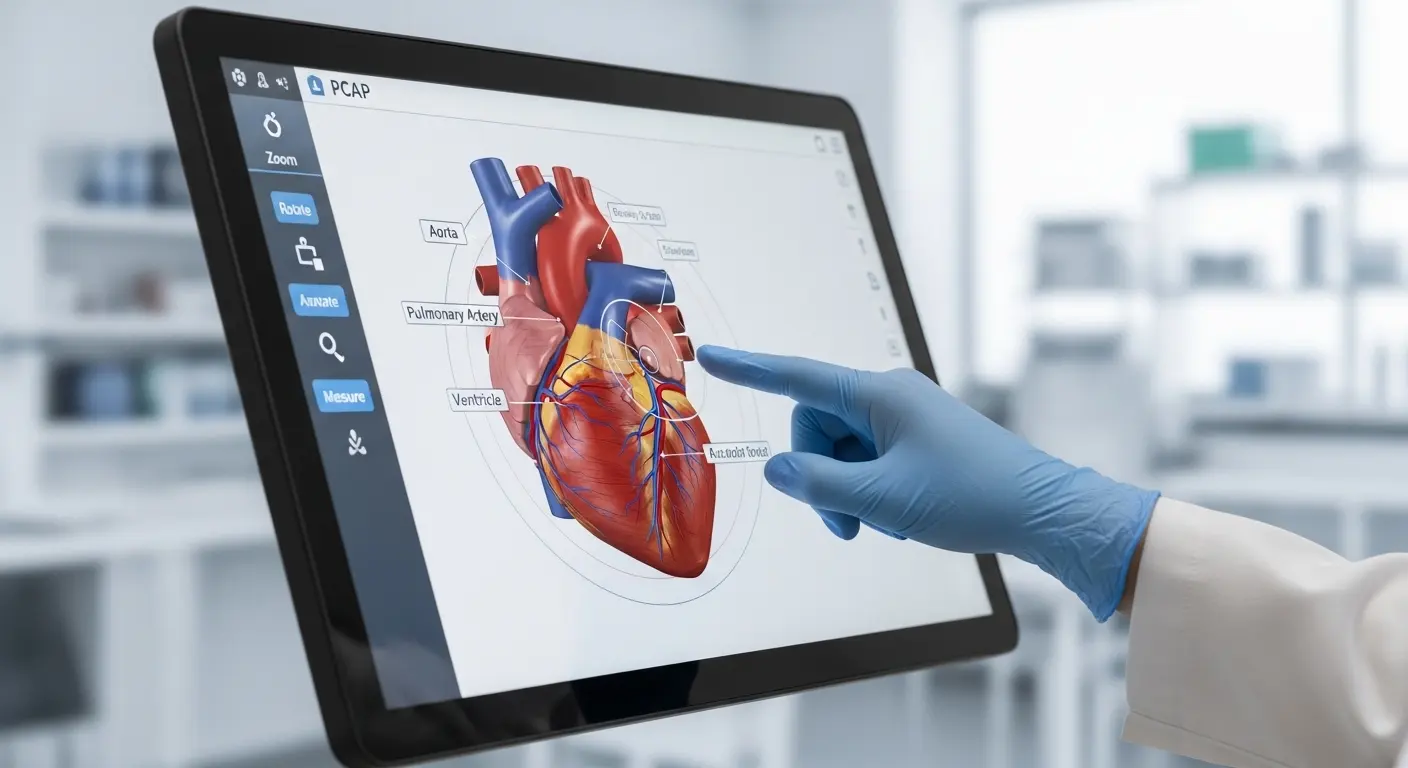
Tip: Opt for IPS (In-Plane Switching) technology within your TFT display. This ensures that the screen remains readable even when viewed from extreme side angles, which is common for wall-mounted kiosks.
Can You Customize a 10.1 Inch Touch Screen?
Yes, you can customize a 10.1 inch pcap touch display to include specific cover glass thicknesses, custom silk-screen printing, and advanced surface coatings like Anti-Glare (AG) or Anti-Reflection (AR). Customization allows you to fit the display into unique industrial designs or provide extra protection in harsh environments. Manufacturers can also adjust the firmware to support thick gloves or operation in wet conditions.
I often advise clients to invest in a custom capacitive touch screen when their branding is essential. Adding a custom logo or specific border colors directly onto the glass back-printing can make a generic industrial box look like a premium, proprietary product.
Available Customization Options
- Cover Glass: Ranging from 0.7mm to 6.0mm for high-impact zones.
- Surface Treatments: AG (Anti-Glare), AR (Anti-Reflection), and AF (Anti-Fingerprint).
- FPC Design: Customizing the length and orientation of the ribbon cable to fit your internal board layout.
- Optical Bonding: Filling the air gap with resin to improve sunlight readability and impact resistance.
What Surface Treatments Are Available?
Surface treatments are essential for optimizing the performance of a 10.1 inch pcap touch display in specific environments. Anti-Glare (AG) treatment reduces reflections in bright offices, while Anti-Reflection (AR) increases transparency for outdoor use. Anti-Fingerprint (AF) coating is a hydrophobic layer that prevents oil and smudges from obscuring the screen, which is a common complaint in high-traffic retail settings.
I recently worked on a medical tablet design where the AF coating was a requirement. Without it, the screen became unreadable after just an hour of use in a clinical setting. By applying an AF layer, we reduced cleaning frequency by over 60%.
How Does Vandal Resistance Work?
Vandal resistance is achieved by using chemically strengthened glass (like Gorilla Glass or Dragontrail) and increasing the overall thickness of the cover lens. A vandal-resistant capacitive panel is tested using the IK10 "drop ball" method. This ensures that the screen can withstand heavy impacts without shattering, making it ideal for unsupervised public kiosks or prison communication systems.
In high-risk areas, a standard 1.1mm cover glass won't suffice. You need at least 3mm to 4mm of tempered glass.
Tip: When using thick glass, you must ensure the touch controller IC is tuned for "high-sensitivity" mode, otherwise the electrical field won't penetrate the glass effectively to detect a finger.
Which Brands Offer the Best Capacitive Touch Screens?
The best capacitive touch screen brands are characterized by their use of high-tier controller ICs (EETI, Ilitek, FocalTech) and their ability to provide long-term supply stability. Brands that offer comprehensive technical support, driver compatibility across multiple operating systems, and in-house optical bonding facilities typically lead the market in reliability and performance.
Choosing a supplier is more than just looking at the price. I always check if the brand can guarantee the same component list for at least 5 to 7 years. In the industrial world, a "silent change" in a controller chip can break your entire software integration. Researching the best capacitive touch screen brands helps you avoid these costly lifecycle issues.
How Do You Integrate the Display into Your Hardware?
Integrating a 10.1 inch pcap touch display involves connecting the FPC to your mainboard, setting up the touch drivers, and ensuring proper grounding to minimize EMI. For the best visual results, you should use optical bonding or high-quality adhesive tape to mount the sensor to the LCD. Finally, you must calibrate the touch sensitivity within your OS (Windows, Linux, or Android) to ensure pixel-perfect accuracy.
One common mistake I see is "floating" ground. If the touch controller doesn't have a solid common ground with the display and the housing, you will get "jitter" where the cursor shakes even when your finger is still.
Integration Steps
- Mechanical Mounting: Use a gasket or optical bonding to secure the panel.
- Connection: Connect the USB or I2C cable. USB is typically HID-compliant (no driver needed).
- Driver Setup: For I2C, you may need to compile the kernel driver for your specific Linux distribution.
- Testing: Use a multi-touch diagnostic tool to check for dead zones or noise.
What Are the Most Common Problems During Integration?
The most common problems during the integration of a 10.1 inch pcap touch display include electrical noise from the power supply, "Newton's Rings" caused by an uneven air gap, and firmware sensitivity issues. Many of these can be solved by using shielded cables, applying optical bonding, or requesting a custom firmware profile from your manufacturer that is tuned to your specific environment.
I once spent two days troubleshooting a screen that wouldn't register touches in a specific factory. It turned out the LED lighting overhead was emitting high-frequency noise that the sensor was picking up. We solved it by switching to a controller with better frequency-hopping capabilities.
Final Thought
Investing in a 10.1 inch pcap touch display is a significant decision for any hardware project. In 2026, the market is flooded with low-cost consumer-grade parts that look identical to industrial ones on paper but fail under the stress of 24/7 operation. By prioritizing E-E-A-T principles—Experience in your specific industry, Expertise in sensor tuning, Authoritativeness in technical specifications, and Trustworthiness in your supply chain—you ensure that your project remains viable for years to come.
Whether you need a vandal-resistant capacitive panel for a public station or a high-precision 10.1-inch touch screen display for a medical device, always look beyond the initial price tag. The real cost is found in the reliability, readability, and responsiveness of the interface your customers use every day.
Related Topics

Industrial Touch Display Technology Trends in the Era of Industry 4.0
Aug-07-2026

Touch Panel Selection Guide for Industrial, Outdoor, and Commercial Applications
Aug-07-2026

How to Choose the Right Touch Display Solution for Your Project
Aug-07-2026

How to Choose an Industrial Capacitive Touch Screen: 2026 Guide
Aug-07-2026
Get a Free Quote
✔ 16 Years Manufacture Service ★★★★★
✔ 3 Technical Experts And 52+ Project Engineers Will Assiste You
✔ Wanty Employs Over 52 Engineers, Many Of Whom Come From Leading Tft Lcd Module Companies Such As Tianma And Boe-Varitronix. Each Core Team Member Brings 15 Years Of Industry Experience.
✔ If you would like more information about our products and services, please contact us. Whether you need a standard solution or a customized one, we are here to meet your needs.
✔ Please complete the form below, and the selected location will contact you promptly. Thank you for visiting, and have a great day!
