
What Size Capacitive Touch Screen Do I Need? (2026 Guide)
News
Mar-20-2026
The capacitive touch screen size you need is determined by the distance between the user and the display, the amount of data on the screen, and the physical constraints of your enclosure. Selecting the wrong dimensions can lead to poor ergonomics and high error rates. In our experience, choosing a size based on "looks" rather than "technical fit" is a common mistake in product development. This guide provides a professional framework to help you match your project specifications to the ideal display dimensions. Whether you are designing a handheld controller or a large-scale industrial kiosk, the following criteria will ensure optimal performance.
The Three Main Sizing Categories for PCAP Panels
Selecting the right dimensions begins with understanding the standard categories available in the market. Each category serves a specific functional niche.
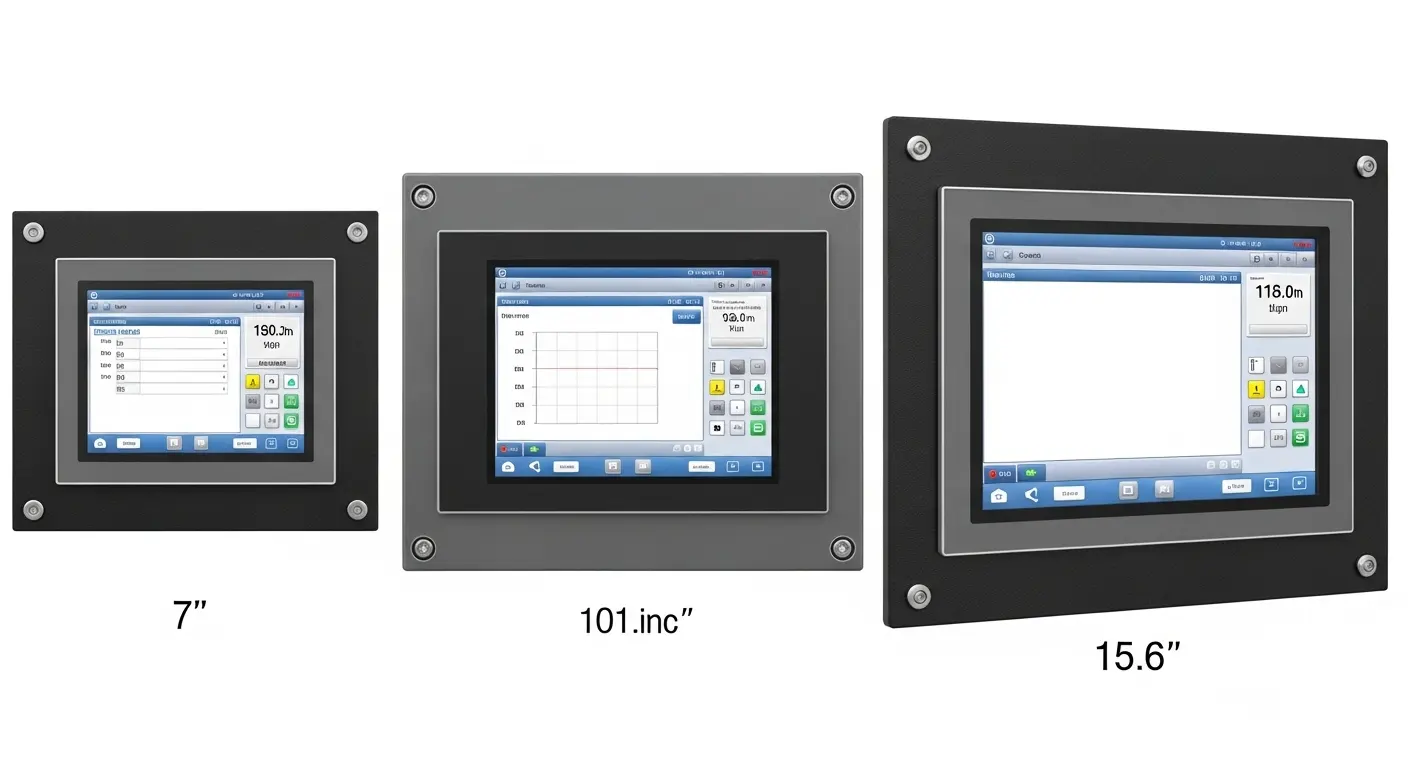
Small Form Factor: 4.3" to 7" Panels
Small screens are designed for portability and handheld ergonomics. These sizes are common in portable diagnostic tools and smart home controllers. For example, a small form factor 7-inch panel provides enough space for basic navigation while remaining easy to hold. In our experience, these sizes are perfect for battery-operated devices where power consumption is a primary concern.
Medium Format: 10.1" to 19" Panels
Medium screens are the "workhorses" of the industrial and retail sectors. The standard 10.1-inch touch panel is the most popular choice for stationary human-machine interfaces (HMI). According to Statista, the 10.1-inch size holds a dominant share in the industrial market due to its balance of readability and compact footprint. These panels offer enough room for complex dashboards without overwhelming the operator's desk space.
Large Format: 21.5" to 65" Displays
Large format PCAP panels are used for public information kiosks and high-precision medical imaging. These displays are often found in hospital environments where surgeons need to view high-resolution scans. Grand View Research notes that the market for large-format outdoor kiosks is growing by 12% annually. These screens must be highly durable and often feature vandal-proof glass to survive high-traffic public areas.
How do viewing distance and Field of View (FOV) affect your size choice?
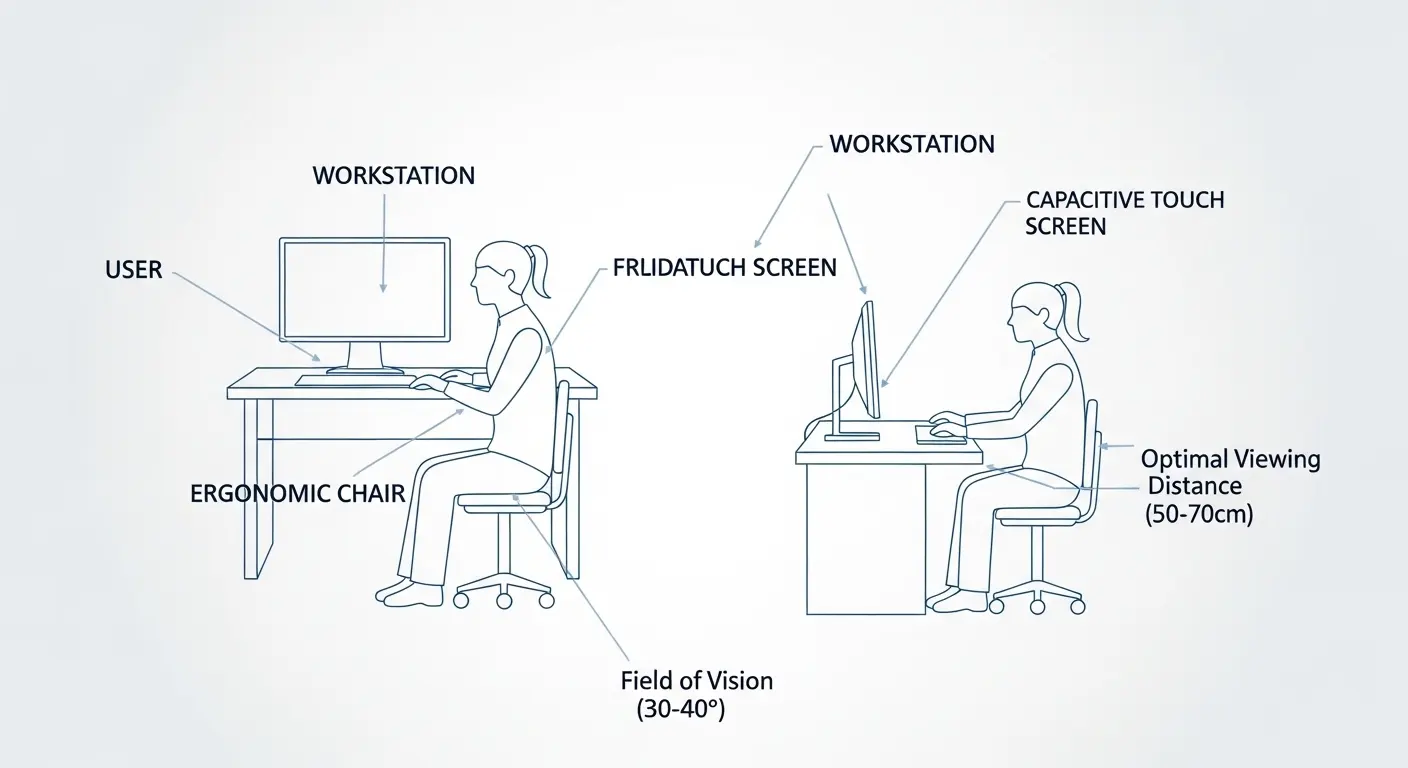
Your screen size should allow the user to view the entire interface within a 30° to 40° field of vision. This range is recommended by OSHA for optimal display comfort and to reduce neck strain. If a screen is too large for the viewing distance, the user must constantly move their head to see the edges. If it is too small, they may struggle to read text or interact with icons.
Optimal Viewing Distance for Small Screens
Handheld devices are typically held 10 to 15 inches from the user's eyes. In this range, a 4.3" to 7" screen is ideal. The human eye can resolve fine details easily at this distance. Therefore, high pixel density is more important than total physical size. Using a capacitive touch screen module with a high resolution ensures that text remains sharp and legible.
Calculating Size for Standing or Seated HMI
Operators using a stationary industrial HMI usually stand or sit 20 to 30 inches away. At this distance, a 12.1" to 15.6" display provides the best balance. The UI elements should be large enough to be identified quickly. Additionally, the screen must be positioned so that the most important data is at eye level. This minimizes fatigue during long shifts in manufacturing environments.
Distance Requirements for Public Kiosks
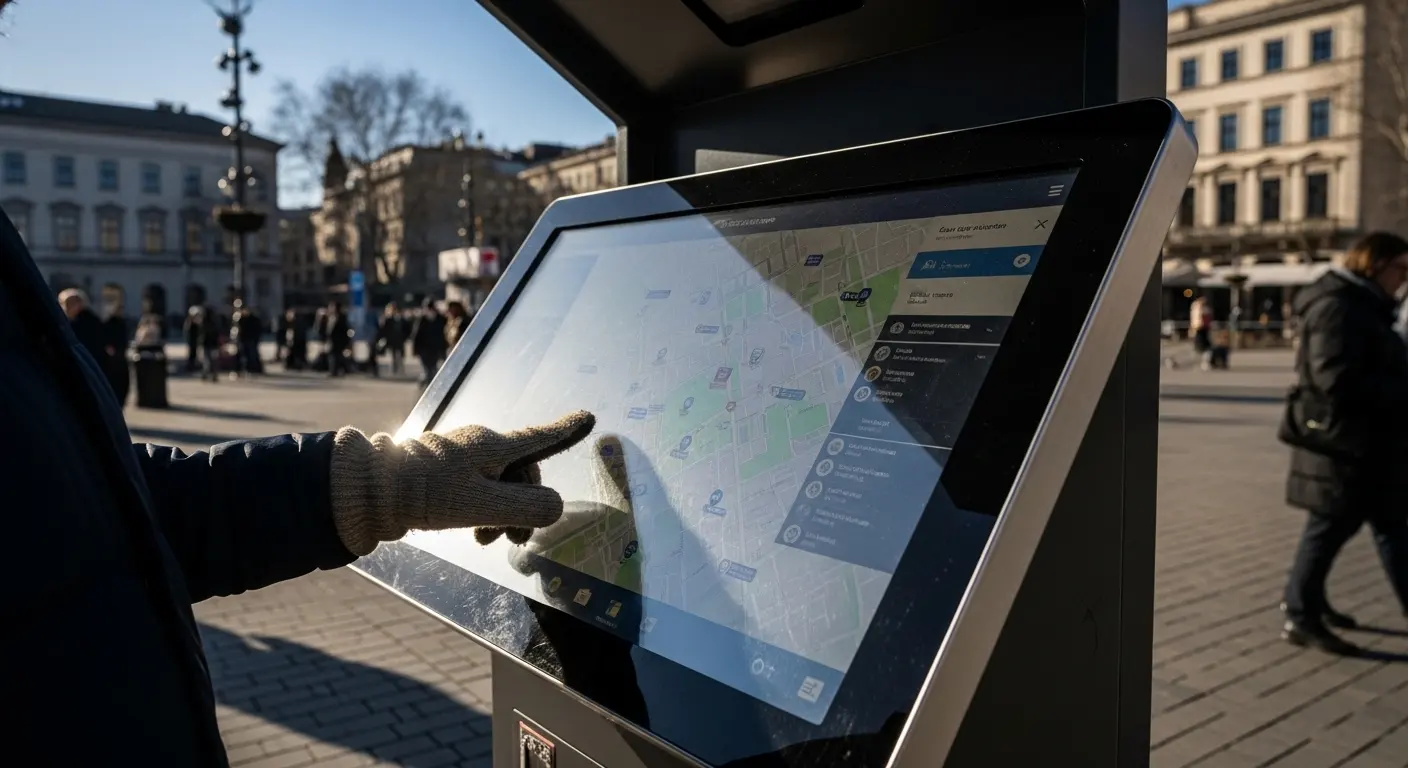
Public kiosks are often viewed from 3 to 6 feet away. Users approach these screens with varying expectations. A 32" to 55" panel is necessary to attract attention and provide a clear interface from a distance. For these applications, sunlight readable technology and high-nit brightness are essential to combat glare and maintain visibility in outdoor settings.
Selecting Size Based on Application and Industry
Different industries have established "standard" sizes based on decades of ergonomic testing. Matching these standards can simplify your procurement process and ensure user familiarity.
Medical and Healthcare (High Precision)
Medical displays require extreme clarity for diagnostic tasks. Monitors used in radiology or surgery typically range from 21.5" to 27". These medical-grade touch displays must support multi-touch gestures even when the user is wearing surgical gloves. The larger size allows for side-by-side data viewing, which is critical during complex medical procedures.
Industrial HMI and Automation
In factory settings, space is often limited. Most engineers opt for the standard 10.1-inch touch panel because it fits easily into NEMA-rated enclosures. However, if your software includes many technical diagrams, a 15" or 19" screen may be better. These sizes allow for more detailed visualizations without requiring the user to zoom in and out constantly.
Smart Home and Building Automation
Smart home controllers are often wall-mounted. They need to blend into the interior design. A 5" to 10" screen is common for these applications. You can control everything from one place using a centrally located 10.1-inch panel. These displays are usually bezel-less to provide a sleek, modern aesthetic that appeals to residential users.
Retail and Point-of-Sale (POS)
Retail environments favor 15" and 15.6" screens. This size is ergonomic for cashiers who must process transactions quickly. The 16:9 aspect ratio is now the standard for modern POS software. It provides enough horizontal space for item lists and numeric keypads to exist on the same screen. This reduces the number of screen transitions required for a single sale.
Does UI complexity dictate what size capacitive touch screen I need?
Yes. A complex UI with multiple data points or small icons requires more screen real estate to avoid accidental touches. This is based on Fitts's Law. This law states that the time to acquire a target is a function of the distance to and the size of that target.
Touch Target Size and Accuracy
According to research from MIT Human Dynamics, a touch target should be at least 7mm to 10mm wide for high accuracy. On a small 7-inch screen, you can only fit a limited number of these targets. If your interface requires 20 or more buttons on a single page, you must move to a 10.1" or 12.1" display. This prevents "fat-finger" errors where the user accidentally hits two buttons at once.
Information Density and Cognitive Load
High information density can lead to cognitive overload. If you crowd too much data onto a small screen, the user will become frustrated. Larger screens allow for better "white space" management. This helps the user focus on the most important information. In our experience, engineers often underestimate the amount of space needed for clear, intuitive navigation.
Gesture Support and Multi-Touch
If your application uses gestures like "pinch-to-zoom" or "rotate," you need more physical space. A 7-inch screen is often too small for comfortable two-handed gestures. Moving to a 13.3" or 15.6" panel provides the necessary room for fluid multi-touch interactions. This is especially important for mapping applications or 3D modeling software.
Environmental Factors: Gloves, Moisture, and Sunlight
The environment where the screen will be used can impact the effective usable area of the display. Harsh conditions often require larger screens to compensate for user gear or atmospheric interference.
Working with Industrial Gloves
Industrial users often wear thick gloves. These gloves increase the effective size of the "finger" pad. Consequently, the touch targets must be even larger than the standard 7mm. To maintain a functional UI while using larger buttons, you often need to increase the overall screen size. A 12.1" panel is frequently chosen over a 10.1" panel specifically to accommodate gloved users.
Moisture and False Touches
In outdoor or marine settings, moisture on the screen can cause false touches. While advanced best capacitive touch screen brands use firmware to reject water, a larger screen helps. Spreading out the touch icons reduces the chance that a water droplet will bridge two active touch zones. This improves the reliability of the system in unpredictable weather.
Sunlight and Thermal Management
Larger screens generate more heat, especially when equipped with high-brightness backlights for sunlight readability. If your device will be used in direct sun, you must consider thermal management. Sometimes, choosing a slightly larger screen allows for better heat dissipation. It also provides more room for optical bonding, which improves clarity in bright environments by reducing internal reflections.
The "Size vs. Resolution" Selection Matrix
Choosing the right size is only half of the battle. You must also pair it with the correct resolution and aspect ratio. This matrix summarizes the most common configurations in 2026.
| Screen Size | Ideal Resolution | Best Aspect Ratio | Primary Application |
| 7.0" | 1024 x 600 | 16:9 | Handheld Controllers |
| 10.1" | 1920 x 1200 | 16:10 | Industrial HMI / Tablets |
| 12.1" | 1024 x 768 | 4:3 | Legacy Industrial Retrofits |
| 15.6" | 1920 x 1080 | 16:9 | POS / Retail Kiosks |
| 21.5" | 1920 x 1080 | 16:9 | Medical / Digital Signage |
| 32.0"+ | 3840 x 2160 (4K) | 16:9 | Outdoor Wayfinding |
Why Aspect Ratio Still Matters
While 16:9 is the most common ratio, the 4:3 aspect ratio is still vital. Many legacy industrial machines were designed for square-ish CRT monitors. If you are retrofitting an old machine, a 12.1" 4:3 panel may be your only option. However, for new builds, the 16:10 ratio on 10.1" panels is preferred. It provides a little extra vertical space for status bars and navigation menus.
Resolution Density Trends
Resolution standards are shifting. According to DisplayDaily, 10.1" panels are moving toward 1920x1200 (WUXGA) as the default. Higher resolution allows for smaller, crisper text. This can sometimes allow you to stay with a smaller screen size even for data-heavy applications. However, remember that the physical touch target size must still remain large enough for a human finger.
Mounting and Mechanical Constraints
The physical space available in your enclosure often dictates your maximum screen size. You must consider the "Active Area" versus the "Outer Dimensions."
Bezel-Less vs. Framed Designs
A bezel-less design allows for a larger screen in a smaller footprint. This is popular in modern custom-sized capacitive screens. If your enclosure is tight, a bezel-less 10.1" panel might fit where a framed 7" panel used to be. This allows you to upgrade the user experience without changing the external chassis.
VESA vs. Panel Mount Standards
How will the screen be mounted? Small and medium screens often use "Panel Mount" clips to stay flush against an enclosure. Larger screens usually require VESA mounting points (75x75mm or 100x100mm). Ensure your chosen size has the correct mounting hardware for your environment. Large panels also require more robust support to prevent "screen wobble" during touch interactions.
Component Clearance and Cooling
Don't forget the components behind the screen. Larger panels require larger control boards and more cables. Ensure your enclosure has enough depth to accommodate the capacitive touch screen module and any necessary cooling fans. In our experience, failing to account for "back-box" depth is a major cause of project delays.
FAQ: Sizing Your Capacitive Touch Screen
What is the most popular industrial touch screen size?
The 10.1-inch panel is currently the global standard for industrial HMI. It provides a perfect balance between readability and space efficiency. Most industrial software is optimized for this resolution and aspect ratio.
Can I get a custom size for my enclosure?
Yes. Unlike other technologies, PCAP allows for custom-sized capacitive screens. Manufacturers can create custom glass and sensors to fit your exact dimensions. However, this typically involves a tooling fee and longer lead times.
How do I measure a capacitive touch screen?
You measure the screen diagonally from one corner to the opposite corner. This measurement applies to the "Active Area" where touch is detected. Always check the mechanical drawing to see the difference between the active area and the total glass size.
Does a bigger screen mean better touch sensitivity?
No. Touch sensitivity is determined by the controller IC and the firmware tuning. A 55" screen can be just as sensitive as a 7" screen if the controller is calibrated correctly. Physical size does not change the underlying sensing technology.
Which size is best for outdoor use?
Outdoor use typically requires 15.6" or larger screens. Users are often standing and may be wearing sunglasses. A larger screen with high brightness and optical bonding ensures that the interface remains legible in harsh lighting conditions.
Conclusion
Choosing the correct capacitive touch screen size is a technical decision that impacts the success of your entire project. By following ergonomic principles and industry standards, you can ensure a comfortable and efficient user experience. Remember that viewing distance and UI complexity are your most important metrics. Small screens are for portability, medium screens are for control, and large screens are for information.
The top three takeaways for your selection process are:
- Match the screen size to the user's field of vision (30°-40° FOV).
- Ensure touch targets remain at least 7mm to 10mm wide regardless of screen size.
- Consult with a professional touch screen manufacturer to ensure your size choice aligns with available controller technology.
If you are ready to finalize your specifications, consult with a WANTY engineer today. We can help you match your project requirements to the perfect PCAP panel size.
Related Topics

Industrial Touch Display Technology Trends in the Era of Industry 4.0
Aug-07-2026

Touch Panel Selection Guide for Industrial, Outdoor, and Commercial Applications
Aug-07-2026

How to Choose the Right Touch Display Solution for Your Project
Aug-07-2026

How to Choose an Industrial Capacitive Touch Screen: 2026 Guide
Aug-07-2026
Get a Free Quote
✔ 16 Years Manufacture Service ★★★★★
✔ 3 Technical Experts And 52+ Project Engineers Will Assiste You
✔ Wanty Employs Over 52 Engineers, Many Of Whom Come From Leading Tft Lcd Module Companies Such As Tianma And Boe-Varitronix. Each Core Team Member Brings 15 Years Of Industry Experience.
✔ If you would like more information about our products and services, please contact us. Whether you need a standard solution or a customized one, we are here to meet your needs.
✔ Please complete the form below, and the selected location will contact you promptly. Thank you for visiting, and have a great day!
