
What is a Projected Capacitive Touch Screen? (The Complete Guide)
News
Mar-17-2026
Knowing what is a projected capacitive touch screen helps you choose the right interface for modern industrial and consumer electronics. These screens use a sophisticated grid of sensors to detect touch through protective layers. This technology powers everything from your smartphone to high-end medical monitors and rugged outdoor kiosks.
What is a projected capacitive touch screen?
A projected capacitive touch screen, or PCAP, is a high-performance touch technology that detects touch through an electrostatic field. It uses a conductive grid layered between protective glass or film. This design allows for multi-touch capabilities, extreme durability, and high optical clarity, making it the industry standard for modern devices.
Projected capacitive technology represents a massive leap over older resistive screens. Unlike resistive screens that require physical pressure, PCAP relies on electrical properties. Your body naturally conducts electricity. When you touch a PCAP surface, your finger draws a tiny amount of current from the electrostatic field.
The controller identifies the exact location by measuring the change in capacitance across a grid of microscopic wires. This grid usually consists of Indium Tin Oxide (ITO). Most users prefer this technology because it supports gestures like pinching, zooming, and swiping. For a broader overview of how this differs from basic models, you can explore what is a capacitive touch screen in more detail.
How does the sensing mechanism function?
PCAP screens function by creating an invisible XY grid of conductive material that projects an electric field. When a conductive object, like a finger, approaches the grid, it disturbs the local electrostatic field. The internal controller chip scans the grid constantly to calculate the precise coordinates of these disturbances.
To understand the science, you must look at the two primary sensing methods:
- Mutual Capacitance: This method uses the intersections of the row and column lines. When you touch the screen, it changes the mutual capacitance between the row and column. This allows the system to track multiple fingers simultaneously.
- Self-Capacitance: This method measures an entire row or column against the ground. While it provides a stronger signal, it can sometimes struggle with "ghosting" if multiple touches occur.
Modern industrial displays usually prioritize mutual capacitance. This ensures high-precision tracking for complex user interfaces. Manufacturers often protect these layers with a robust cover lens. This cover lens can be several millimeters thick without losing sensitivity.
What are the main capacitive touch screen benefits?
The main benefits of PCAP include superior durability, multi-touch support, and exceptional optical clarity. Because the sensing layers are protected behind glass, they resist scratches, chemicals, and moisture. They also offer a seamless, flush-front design that is easy to clean and aesthetically pleasing.
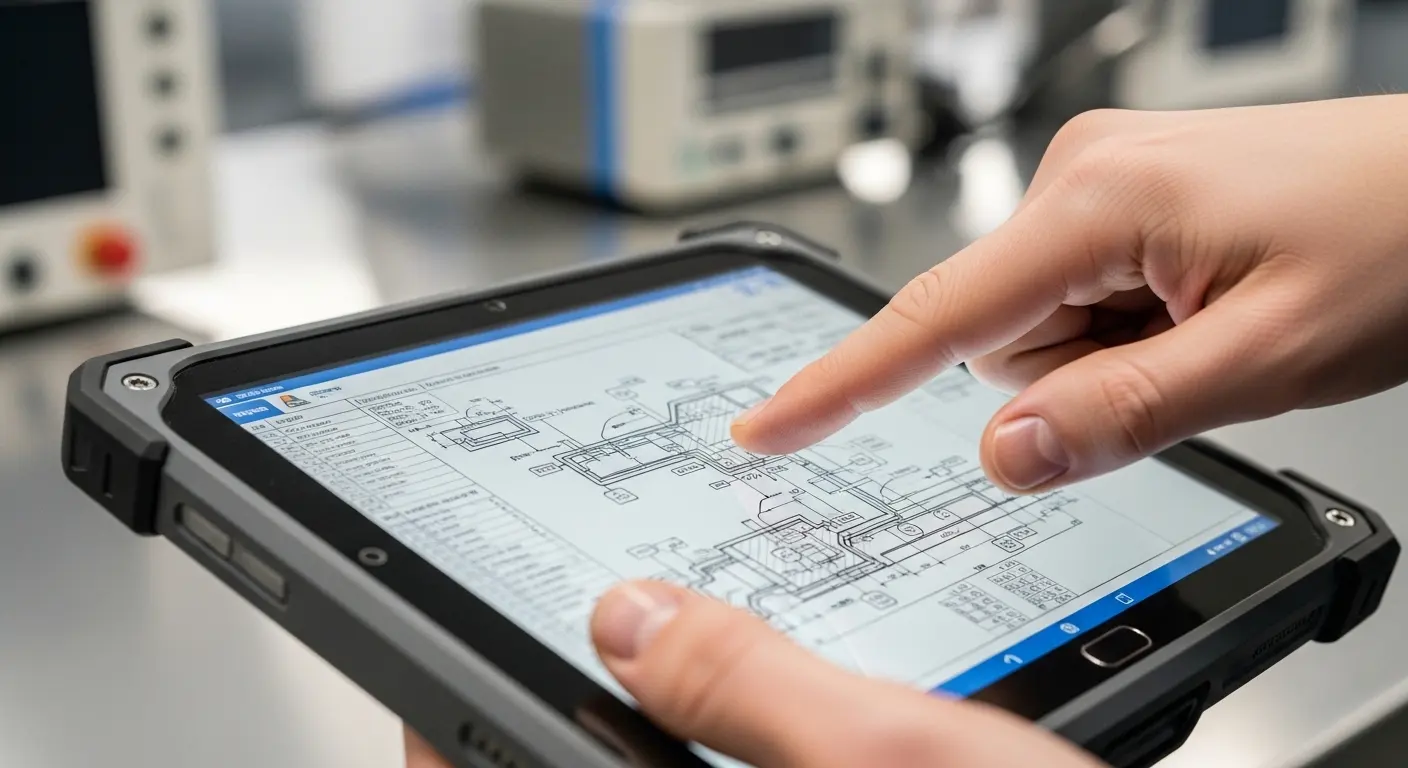
If you are designing a product for heavy use, these advantages are critical. You can learn more about the specific capacitive touch screen benefits to see how they impact long-term ROI.
Durability and Longevity
PCAP screens do not wear out from use. Resistive screens rely on a flexible top layer that eventually cracks. In contrast, PCAP uses solid-state components. Even if the top glass gets a light scratch, the touch functionality remains perfect. This makes them ideal for high-traffic public kiosks.
Multi-Touch and Gesture Support
Modern software requires more than just a single "click." PCAP supports up to 10 or more simultaneous touch points. This allows for:
- Pinch-to-zoom functions.
- Multi-user collaboration on large screens.
- Rotating complex 3D models.
- Fast, fluid typing on virtual keyboards.
How is a projected capacitive touch screen constructed?
PCAP construction involves layering conductive materials like ITO onto glass or film substrates. A standard stack-up includes a cover lens, a sensor layer, and a controller IC. These layers are typically bonded together using Optical Clear Adhesive (OCA) to eliminate air gaps and improve visual performance.
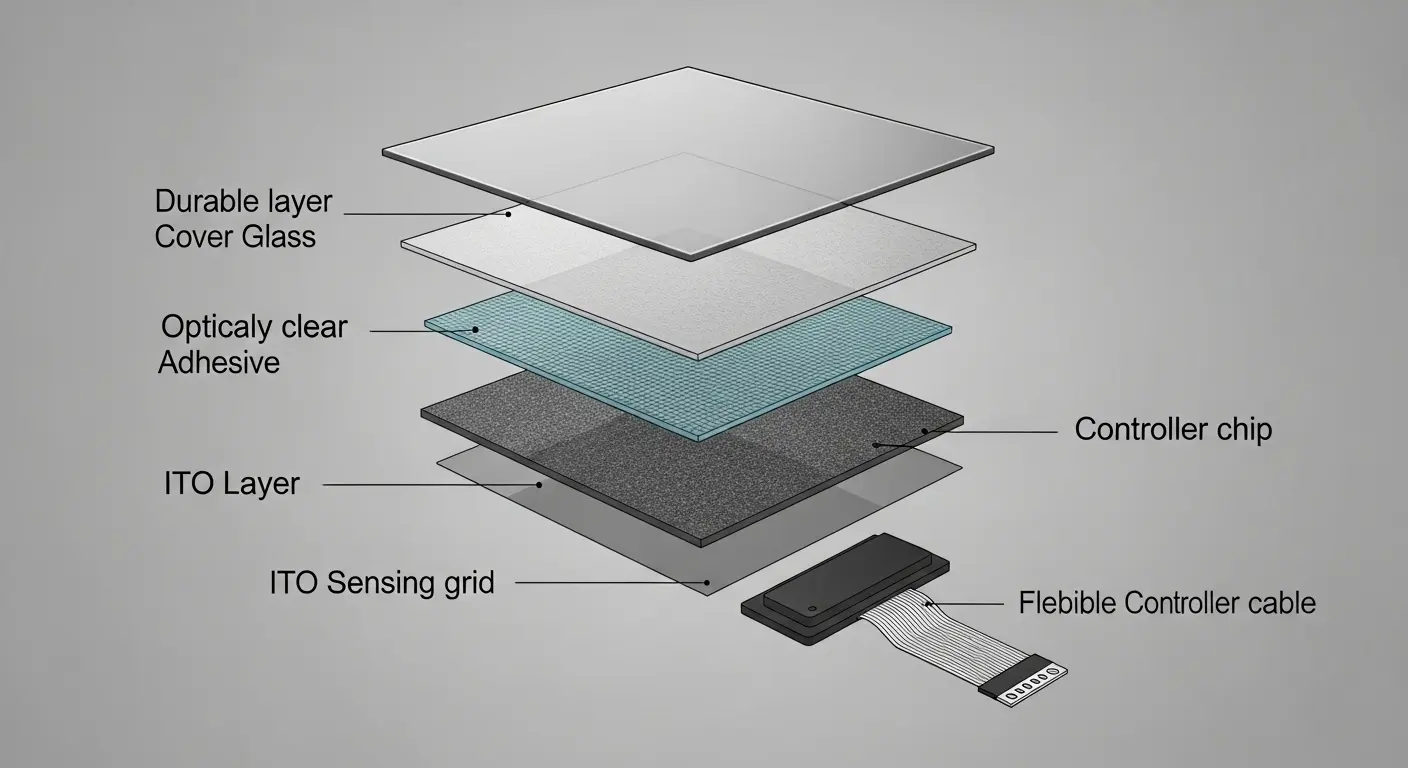
| Layer Component | Material Used | Primary Function |
| Cover Lens | Chemically Strengthened Glass | Protection and aesthetics |
| Adhesive (OCA) | Optical Clear Acrylic | Bonding layers without bubbles |
| Sensing Grid | Indium Tin Oxide (ITO) | Detecting electrical changes |
| Controller IC | Integrated Circuit Chip | Processing signals into data |
The choice between a glass-on-glass (GG) or glass-on-film (GF) structure depends on your application. Glass sensors offer better clarity and thermal stability. Film sensors are thinner and lighter, which is great for mobile handhelds.
What is a capacitive touch screen module?
A capacitive touch screen module is an all-in-one assembly that includes the touch sensor, the cover glass, and the controller electronics. These modules come pre-calibrated and ready for integration into a display housing. Choosing a complete capacitive touch screen module simplifies the manufacturing process and ensures component compatibility.
When you buy a module, you avoid the headache of bonding the sensor yourself. Professional manufacturers use cleanrooms to ensure no dust particles get trapped between the layers. This is vital for maintaining high yields and perfect visual quality.
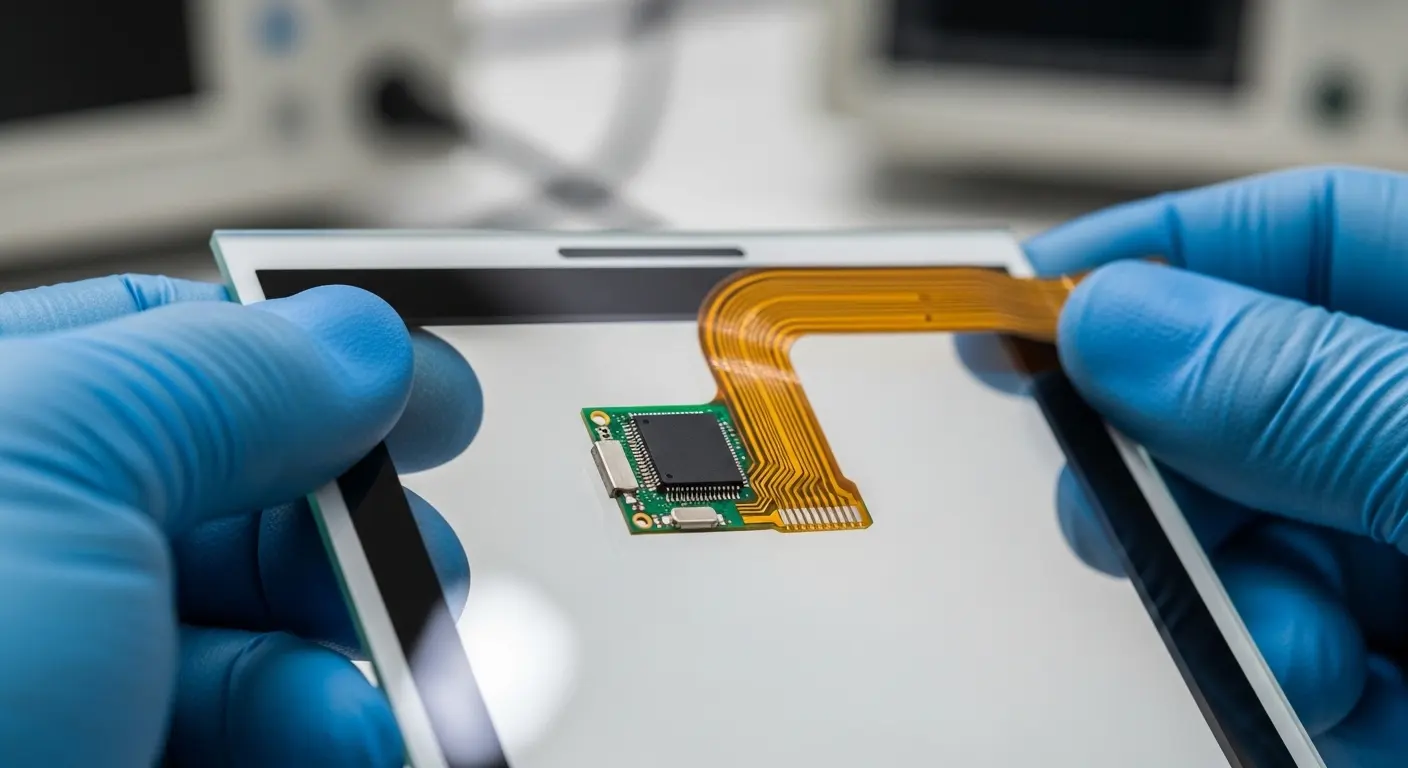
Tip: Always check the controller interface of the module. Most use USB or I2C. USB is better for Windows systems, while I2C is often preferred for embedded Linux or Android devices.
How do you integrate these screens into a device?
Integration requires aligning the touch module with the LCD panel and connecting the controller to the host processor. You must manage electromagnetic interference (EMI) and ensure the bezel does not trigger false touches. Successful integration often involves capacitive touch integrated touchscreen solutions where the touch and display are pre-bonded.
Air Bonding vs. Optical Bonding
When integrating, you have two choices for attaching the touch screen to the LCD:
- Air Bonding: You tape the edges of the touch screen to the LCD frame. This leaves a small air gap. It is cheaper but can lead to internal reflections and condensation.
- Optical Bonding: You fill the entire gap with a clear gel or resin. This eliminates reflections, improves sunlight readability, and makes the unit much more rugged.
Why is PCAP preferred for industrial applications?
Industrial environments demand hardware that can withstand extreme temperatures, vibrations, and contaminants. PCAP excels here because it can be sealed to IP65 or IP67 standards. It also works through gloves and in the presence of water droplets when calibrated correctly.
- Medical Field: Doctors can use them with surgical gloves.
- Outdoor Kiosks: They remain legible in direct sunlight and resist vandalism.
- Marine Use: They handle salt spray and moisture without malfunctioning.
Data from recent industrial surveys suggests that over 80% of new human-machine interfaces (HMI) now use PCAP over resistive technology. This shift is driven by the declining cost of controllers and the rising expectation for "smartphone-like" interactions.
How do you troubleshoot common PCAP issues?
Most PCAP issues stem from electromagnetic interference or poor grounding. If the cursor "jumps" or "ghost touches" occur, it is usually due to electrical noise from the power supply or the LCD itself. Proper shielding and using a high-quality controller IC can solve these problems.
Tip: If your screen isn't responding to touch, check the ground connection first. PCAP relies on a reference to ground to measure capacitance changes accurately.
Common Calibration Steps:
- Update Firmware: Many controller issues are fixed with a simple software update.
- Adjust Sensitivity: You can often tune the controller to ignore water or work with thicker gloves.
- Check the Power Supply: Cheap power bricks often introduce noise that confuses the sensor.
Summary of Projected Capacitive Technology
PCAP has revolutionized how we interact with machines. By offering a durable, multi-touch interface that works in almost any environment, it has become the gold standard. Whether you are looking for a standalone module or a fully integrated display, understanding these technical nuances ensures your project succeeds.
Related Topics

Industrial Touch Display Technology Trends in the Era of Industry 4.0
Aug-07-2026

Touch Panel Selection Guide for Industrial, Outdoor, and Commercial Applications
Aug-07-2026

How to Choose the Right Touch Display Solution for Your Project
Aug-07-2026

How to Choose an Industrial Capacitive Touch Screen: 2026 Guide
Aug-07-2026
Get a Free Quote
✔ 16 Years Manufacture Service ★★★★★
✔ 3 Technical Experts And 52+ Project Engineers Will Assiste You
✔ Wanty Employs Over 52 Engineers, Many Of Whom Come From Leading Tft Lcd Module Companies Such As Tianma And Boe-Varitronix. Each Core Team Member Brings 15 Years Of Industry Experience.
✔ If you would like more information about our products and services, please contact us. Whether you need a standard solution or a customized one, we are here to meet your needs.
✔ Please complete the form below, and the selected location will contact you promptly. Thank you for visiting, and have a great day!
