
Capacitive Touch Screen for Handheld Devices: 2026 Design Guide
News
Mar-10-2026
Choosing a high-quality capacitive touch screen for handheld devices is the most critical decision for modern hardware manufacturers. These screens use the electrical properties of the human body to detect touch, offering superior sensitivity and multi-touch capabilities. Unlike older resistive technology, capacitive sensors provide the clarity and durability required for professional, medical, and consumer-grade mobile electronics.
In the fast-paced world of mobile technology, the interface is everything. Users no longer tolerate clunky, pressure-sensitive displays that require a stylus or a firm press. They expect the fluid, smartphone-like experience that only capacitive technology provides. Whether you are designing a handheld medical diagnostic tool, a rugged industrial scanner, or a high-end consumer gadget, the touch interface dictates the entire user experience.
Handheld devices face unique challenges. They are dropped, exposed to moisture, and used in varying lighting conditions. A capacitive screen doesn't just offer better visuals; it provides a structural robustness that resistive screens lack. Because they are often made of solid glass, they resist scratches and chemical exposure, ensuring the device remains functional throughout its intended lifecycle.
How Does a Capacitive Touch Screen Work in Handheld Electronics?
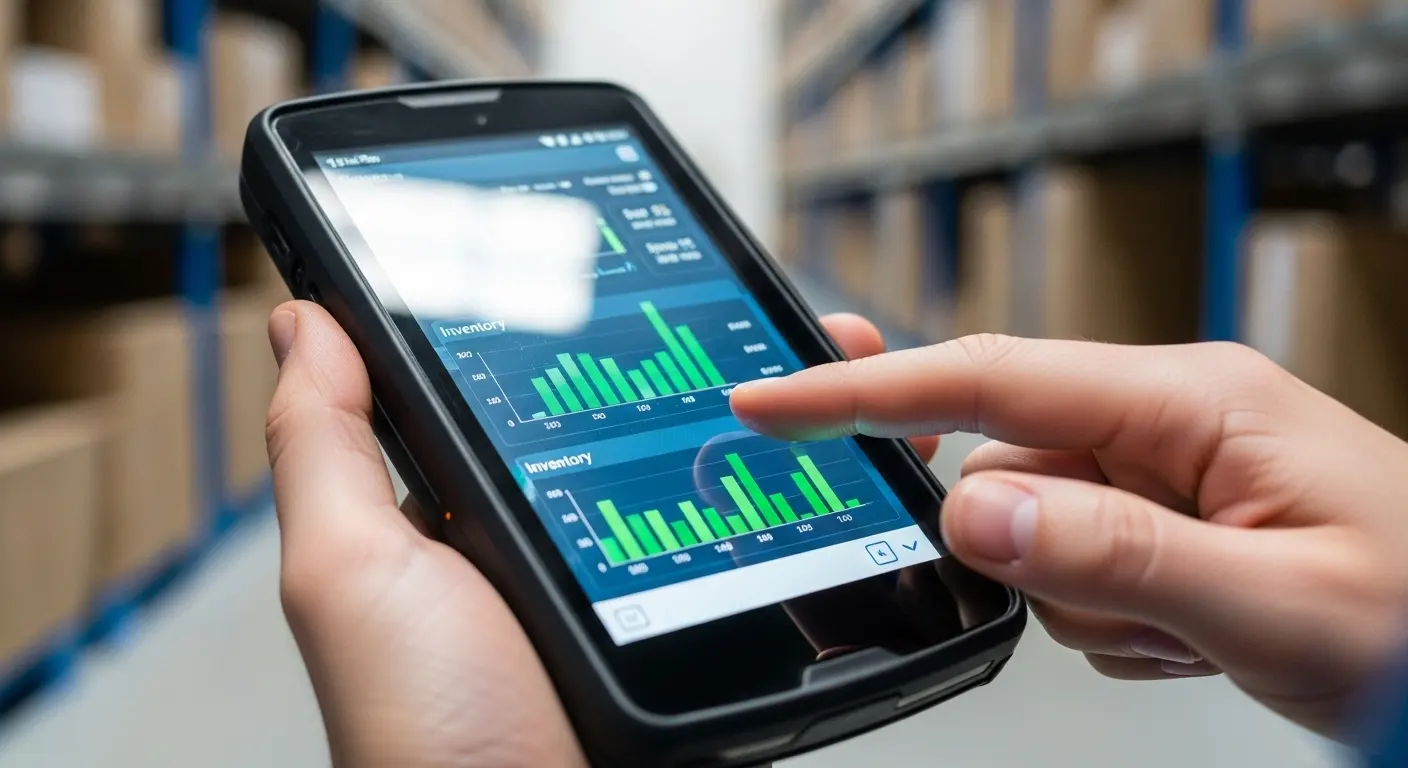
A capacitive touch screen for handheld devices works by detecting changes in an electrostatic field. The screen consists of an insulator, like glass, coated with a transparent conductor. When a finger touches the surface, it creates a distortion in the screen's electrostatic field, which the controller processes as a specific coordinate.
Unlike resistive screens that rely on mechanical pressure to connect two layers, capacitive screens are purely electronic. This means there are no moving parts to wear out. In a handheld environment, this is a massive advantage. You can tap, swipe, and pinch with zero lag. The controller IC (Integrated Circuit) inside the device interprets these signals instantly, allowing for complex gestures that make modern software much easier to navigate on a small screen.
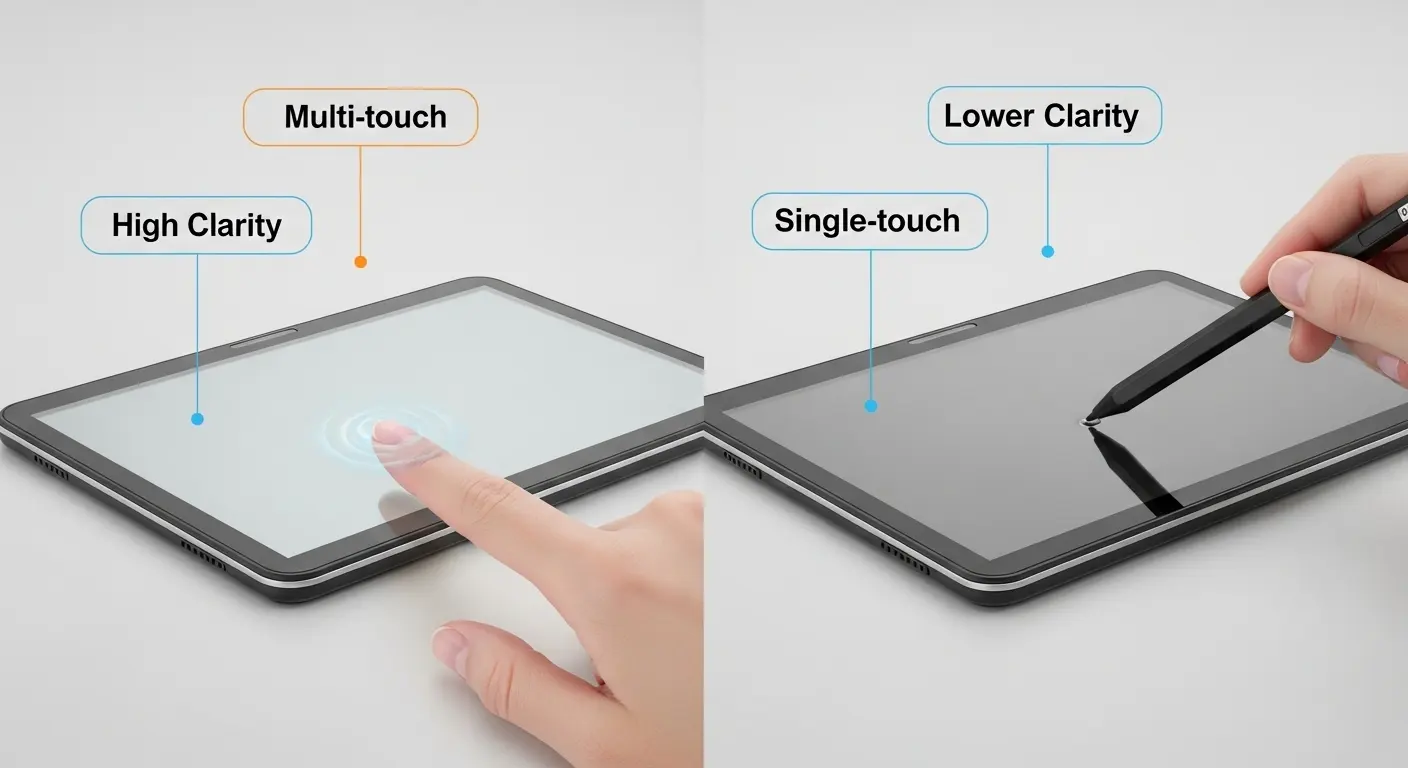
There are two main types: Surface Capacitive and Projected Capacitive (PCAP). Handheld devices almost exclusively use PCAP. This technology allows for "multi-touch," meaning the device can track several fingers at once. This is essential for zooming into maps, rotating 3D models, or playing complex games on a mobile platform.
What Are the Main Advantages of Capacitive Touch Screens for Mobile Use?
The primary advantages of capacitive touch screens include exceptional clarity, high touch sensitivity, and support for multi-touch gestures. They are also incredibly durable because they feature a glass top layer. This makes them resistant to scratches, moisture, and dust, which are common hazards for any portable or handheld device.
Handheld devices are often used outdoors or in bright environments. Capacitive screens offer better light transmission compared to resistive screens. Since they don't require the extra plastic layers used in resistive tech, the colors are more vibrant and the text is sharper. This reduces eye strain for users who must interact with the device for long shifts, such as delivery drivers or warehouse managers.
Durability is another "make or break" factor. A resistive screen uses a soft outer layer that can be easily punctured or scratched by a pen or a sharp object. A capacitive screen uses chemically strengthened glass. Even in harsh industrial settings, these screens maintain their integrity. They are also easier to seal against the elements, making them the preferred choice for IP67 or IP68-rated waterproof handhelds.
| Feature | Capacitive Touch Screen | Resistive Touch Screen |
| Input Method | Finger or conductive stylus | Any object (finger, pen, glove) |
| Durability | High (Glass surface) | Low (Plastic film) |
| Multi-touch | Supported | Not supported |
| Clarity | Excellent (90%+) | Moderate (75-80%) |
| Cost | Higher | Lower |
Why is Capacitive Tech Better Than Resistive Tech for Handhelds?
Comparing capacitive vs resistive touch screens reveals that capacitive tech is superior for modern handhelds due to its responsiveness. Resistive screens require physical pressure, leading to "false negatives" where a touch isn't registered. Capacitive screens react to the lightest touch, providing a much more intuitive and "premium" feel for the end-user.
In the past, resistive screens were favored because they could be used with any glove. However, modern capacitive controllers have evolved. You can now tune a capacitive screen to work with surgical gloves or even heavy industrial gloves. This removes the last remaining advantage of resistive technology while keeping the superior optics and longevity of glass-based capacitive sensors.
Furthermore, resistive screens degrade over time. The constant flexing of the top plastic layer eventually causes it to crack or lose calibration. Capacitive screens do not require calibration. Once they are set during the manufacturing process, they remain accurate for the life of the device. For a company deploying thousands of handheld units in the field, this reduces maintenance costs and downtime significantly.
What Are the Most Common Capacitive Touch Screen Sizes for Handhelds?
Common capacitive touch screen sizes for handheld devices typically range from 2.4 inches to 10.1 inches. For compact mobile tools, 3.5 to 5-inch screens are standard. For data-intensive applications like tablets or diagnostic tools, 7-inch to 10-inch panels provide the necessary screen real estate for complex user interfaces.
The size you choose depends entirely on the ergonomics of your device. A 3.5-inch screen is perfect for a one-handed "pistol-grip" scanner used in retail. A 5-inch screen mimics the smartphone form factor, making it comfortable for general-purpose enterprise tools. When you move up to the 7-inch to 10-inch range, you are entering the "tablet" category, which is ideal for field technicians who need to view detailed schematics or blueprints.
Selecting the right size also involves considering the resolution and aspect ratio. A smaller screen with high pixel density can display a surprising amount of information, but buttons must be sized correctly for finger interaction. Larger screens allow for more complex menus but increase the weight and power consumption of the handheld unit.
Why is the 7-Inch Capacitive Touch Panel the "Sweet Spot" for Handhelds?
The 7-inch capacitive touch panel is widely considered the "sweet spot" because it balances portability with high visibility. It offers enough surface area for complex data entry and multi-window applications without making the device too bulky for mobile use. It is the preferred size for industrial controllers and medical tablets.
At seven inches, the screen is large enough to be operated with both hands comfortably. It provides a significant upgrade over a smartphone screen, allowing for sidebars, detailed charts, and large virtual keyboards. This is why many smart home controllers, automotive diagnostic tools, and portable gaming devices land on the 7-inch specification.
From a manufacturing perspective, the 7-inch size is also highly standardized. This means there are more options for high-brightness backlights, customized cover glass, and integrated controllers. This availability helps keep costs down while ensuring a high level of performance and reliability for the end-user.
How Do Medical Capacitive Touch Screens Enhance Handheld Diagnostics?
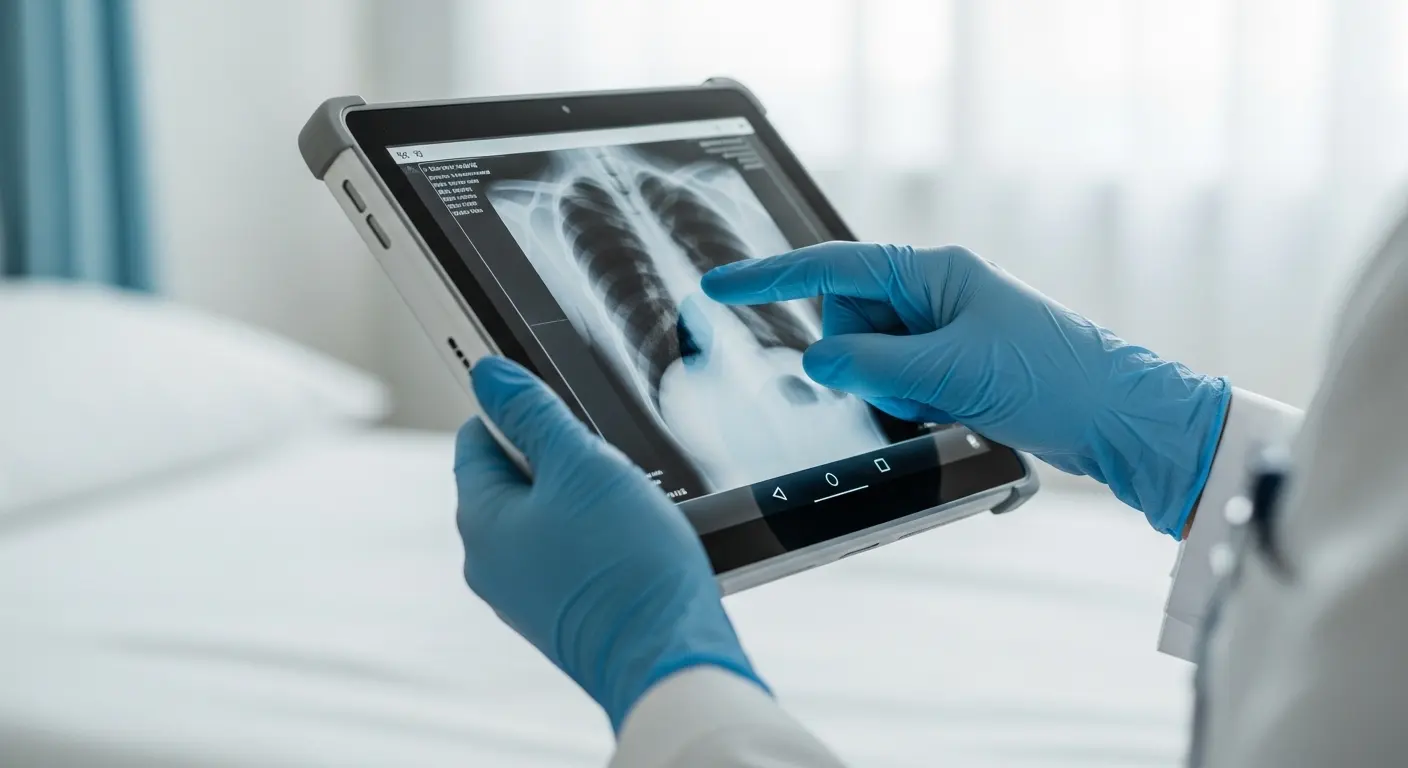
A medical capacitive touch screen is engineered to meet strict healthcare regulations. These handheld screens must be operable with latex gloves and resistant to harsh chemical disinfectants. Capacitive technology allows for a seamless, flat glass surface that has no crevices where bacteria or viruses can hide, ensuring hygiene in clinical settings.
In a hospital environment, handheld diagnostic tools are used constantly. Whether it's a blood analyzer or a patient monitoring tablet, the screen must be reliable. Capacitive screens offer the "EMI shielding" necessary to prevent interference with other sensitive medical equipment. This ensures that the touch interface doesn't produce electrical noise that could affect life-saving readings.
The ability to use these screens with gloves is paramount. Modern "high-sensitivity" mode in PCAP controllers allows doctors and nurses to interact with the screen without removing their protective gear. This speeds up workflows and maintains the sterile field, making capacitive screens the only logical choice for modern medical mobility.
What Customization Options Are Available for Handheld Touch Screens?
Customization for a capacitive touch screen for handheld devices includes surface treatments like Anti-Glare (AG), Anti-Reflective (AR), and Anti-Fingerprint (AF) coatings. Manufacturers can also customize the thickness of the cover glass for impact resistance or add custom branding through "silk-screen" printing on the borders of the glass panel.
Tip: If your handheld device will be used primarily outdoors, always opt for an Anti-Reflective (AR) coating and a high-brightness backlight (at least 800-1000 nits) to ensure readability in direct sunlight.
Beyond surface treatments, you can customize the "stack-up" of the sensor. For example, if your device needs to be extremely thin, you can use "One Glass Solution" (OGS) technology. If it needs to be "intrinsically safe" for use in explosive environments (like oil rigs), the glass and controller can be reinforced and shielded to meet ATEX standards.
Optical bonding is another critical customization. This process fills the air gap between the touch panel and the LCD with a clear adhesive. This eliminates internal reflections, improves contrast, and prevents dust or moisture from ever getting between the layers. For handheld devices used in humid or rugged environments, optical bonding is a "must-have" feature.
How Do You Integrate a Capacitive Touch Screen into a Handheld Housing?
Integrating a capacitive touch screen for handheld devices requires a "flush mount" or "behind-glass" design. Because the sensor detects electrical changes, the housing should not interfere with the active area. Engineers must also ensure proper grounding of the touch controller to prevent "ghost touches" caused by electrical noise from the device's battery or Wi-Fi radio.
The mechanical fit is the first step. The cover glass of the touch screen often acts as the front face of the entire device. This requires precision CNC-cut glass that fits perfectly into the device's bezel. A waterproof seal is usually achieved using custom-cut 3M adhesive gaskets or silicone O-rings.
The second step is the electrical integration. Most capacitive screens for handhelds use an I2C or USB interface to communicate with the main processor. The firmware must be tuned to the specific housing. If the device has a thick plastic frame, the sensitivity of the sensor must be increased to ensure the touch is registered all the way to the edges of the display.
What Are the Environmental Challenges for Handheld Touch Screens?
The biggest challenges for a capacitive touch screen for handheld devices are extreme temperatures, moisture, and physical impact. High-quality industrial screens are designed to operate from -20°C to +70°C. To combat moisture, "water rejection" firmware is used, which allows the screen to distinguish between a human finger and a drop of rain.
Handheld devices are prone to being dropped. To solve this, manufacturers use chemically strengthened glass (like Gorilla Glass or Dragontrail). These materials can withstand significant impact without cracking. Furthermore, adding a "shutter-proof" film ensures that even if the glass does break, it remains in one piece, protecting the user from shards and keeping the internal electronics safe.
| Environmental Factor | Solution for Capacitive Screens |
| Direct Sunlight | High-nit backlight & AR Coating |
| Rain/Water | Water-handling firmware & Optical Bonding |
| Extreme Cold | Integrated heater films |
| Heavy Impact | 2.0mm+ Chemically strengthened glass |
How Does the Controller IC Affect Handheld Performance?
The Controller IC is the "brain" of a capacitive touch screen for handheld devices. It determines how many touch points are tracked, the speed of the response, and how well the screen handles "noise." A high-end controller from brands like ILITEK, EETI, or Goodix ensures that the handheld remains responsive even in electrically "noisy" environments.
In handheld electronics, power consumption is a major concern. The controller must be efficient so it doesn't drain the battery. Many modern controllers have "low-power wake-up" modes. This allows the screen to stay in a "sleep" state until it detects a specific gesture, like a double-tap, which then wakes up the entire system.
The controller also handles "palm rejection." On a 7-inch or 10-inch handheld, a user might accidentally rest the side of their hand on the screen while using a stylus or their thumb. A smart controller recognizes this large, stationary contact as a palm and ignores it, only registering the intentional taps and swipes.
What is the Future of Capacitive Touch for Handheld Devices?
The future of the capacitive touch screen for handheld devices lies in haptic feedback, flexible displays, and "hover" technology. Haptics will allow users to "feel" buttons on a flat glass surface, while flexible PCAP sensors will enable the next generation of foldable industrial tablets and wearable mobile computers.
Hover technology is particularly exciting for the medical and industrial sectors. It allows a user to trigger a command by holding their finger a few millimeters above the glass. This reduces physical contact with the screen, further improving hygiene and reducing wear on the surface.
We are also seeing the integration of biometric sensors directly into the touch screen stack-up. Imagine a handheld police scanner or a secure banking terminal where the user's fingerprint is read anywhere they touch the screen. This level of integration will make handheld devices more secure and easier to use than ever before.
How to Choose the Right Supplier for Your Handheld Touch Screen?
Choosing the right supplier for a capacitive touch screen for handheld devices requires looking beyond the price. You need a partner who understands E-E-A-T principles in manufacturing: Expertise in sensor design, Authoritative knowledge of industrial standards, and a Trustworthy track record of long-term component availability.
A good supplier will offer "full-stack" support. They shouldn't just sell you a piece of glass; they should help you tune the firmware, suggest the right cover glass thickness for your specific impact requirements, and provide the necessary documentation for certifications like CE, FCC, or UL.
Reliability is the most important factor. For handheld devices used in professional fields, you cannot afford a screen that fails after six months. Look for suppliers that perform rigorous "burn-in" testing and have a robust quality control process. A factory like Wantysz, which specializes in industrial and medical-grade solutions, provides the durability that consumer-grade suppliers simply cannot match.
Tip: Always ask for a sample for "drop testing" and "environmental chamber testing" before committing to a mass production run for a new handheld device.
Related Topics

Industrial Touch Display Technology Trends in the Era of Industry 4.0
Aug-07-2026

Touch Panel Selection Guide for Industrial, Outdoor, and Commercial Applications
Aug-07-2026

How to Choose the Right Touch Display Solution for Your Project
Aug-07-2026

How to Choose an Industrial Capacitive Touch Screen: 2026 Guide
Aug-07-2026
Get a Free Quote
✔ 16 Years Manufacture Service ★★★★★
✔ 3 Technical Experts And 52+ Project Engineers Will Assiste You
✔ Wanty Employs Over 52 Engineers, Many Of Whom Come From Leading Tft Lcd Module Companies Such As Tianma And Boe-Varitronix. Each Core Team Member Brings 15 Years Of Industry Experience.
✔ If you would like more information about our products and services, please contact us. Whether you need a standard solution or a customized one, we are here to meet your needs.
✔ Please complete the form below, and the selected location will contact you promptly. Thank you for visiting, and have a great day!
