
4.3 Inch Capacitive Touch Screens | Industrial & Medical
News
Mar-11-2026
Choosing the right 4.3 inch capacitive touch screen can make or break the user experience of your handheld device or industrial controller. This specific size has become the "sweet spot" for engineers who need a balance between portability and high-resolution visual feedback. In this guide, we will explore why this form factor dominates the market and how to select the best components for your specific application.
What is a 4.3 Inch Capacitive Touch Screen?
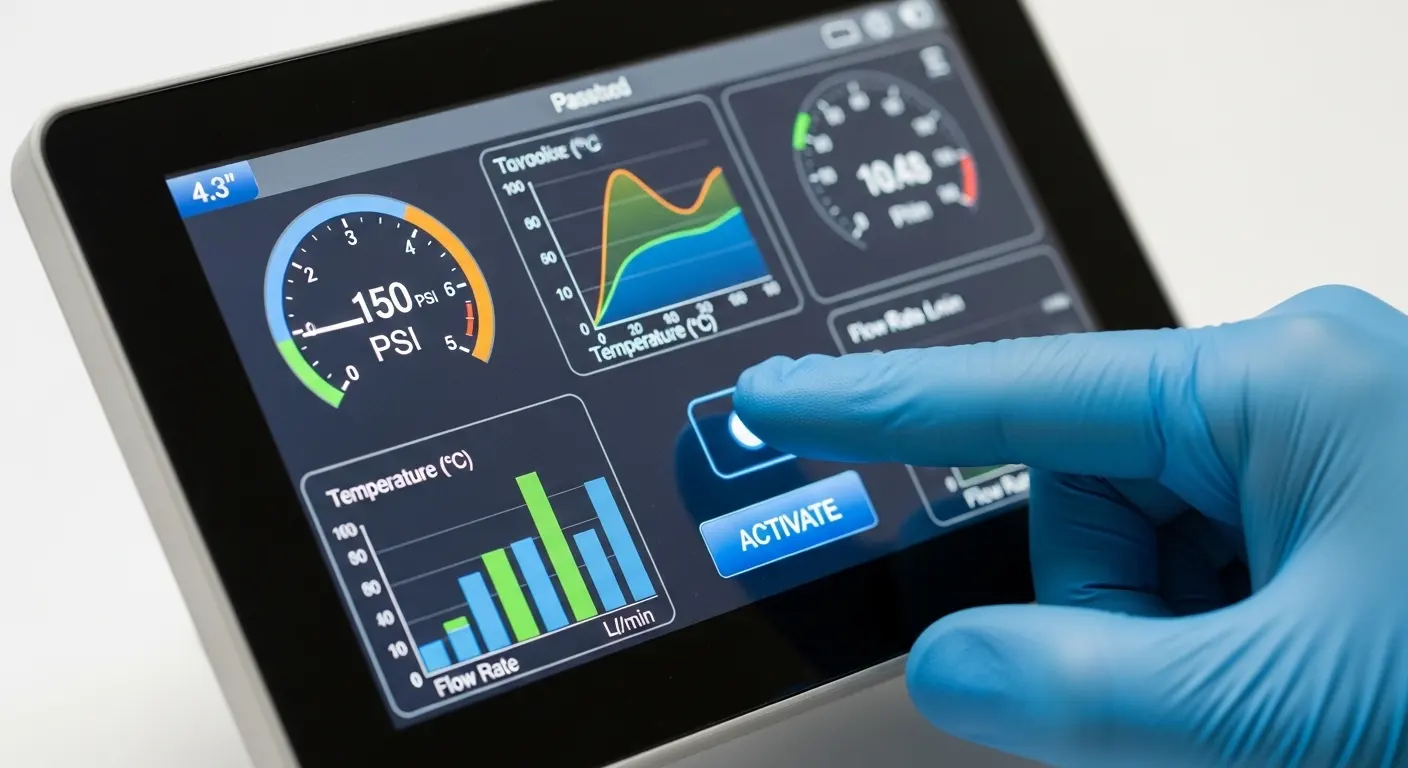
A 4.3 inch capacitive touch screen is a compact, multi-touch display module that uses the electrical properties of the human body to detect input. Unlike older resistive screens that require physical pressure, these panels offer high clarity, superior durability, and support for complex gestures like swiping and pinching, making them ideal for modern professional interfaces.
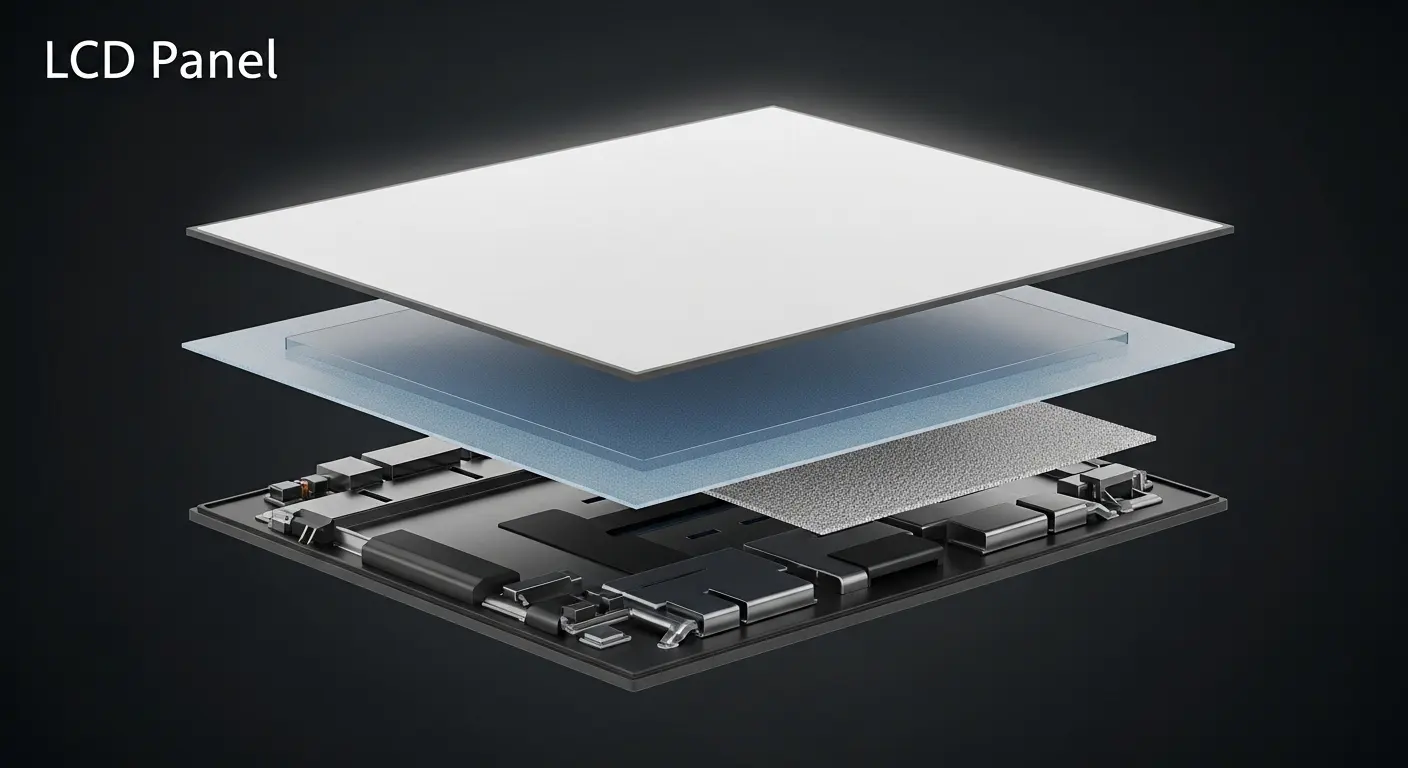
These screens generally consist of a cover lens, a sensor layer (usually Indium Tin Oxide or ITO), and a controller IC. When a finger approaches the surface, it creates a change in capacitance that the controller translates into X and Y coordinates. This technology is often paired with a high-quality 4.3 inch LCD display to provide a complete interactive solution. In my experience working with hardware integration, the 4.3-inch size is particularly popular because it fits perfectly in the palm of a hand while offering enough screen real estate for detailed menus.
Why Choose Capacitive Over Resistive for 4.3 Inch Displays?
The primary reason to choose a capacitive screen over a resistive one is the superior user experience and longevity. Capacitive screens support multi-touch, offer better light transmission (usually over 85%), and do not wear out from repeated use. They provide a "smartphone-like" feel that modern users expect, even in industrial or medical environments.
| Feature | Capacitive (PCAP) | Resistive |
| Touch Method | Conductive object (Finger/Stylus) | Pressure (Any object) |
| Multi-touch | Yes (up to 10 points) | Generally No |
| Durability | High (Glass surface) | Moderate (Plastic film) |
| Clarity | Excellent | Average |
| Cost | Slightly Higher | Lower |
While resistive screens are still used in some niche applications, most modern projects benefit from the reliability of a custom projected capacitive and resistive touch screen distributor who can provide PCAP solutions that work even with gloves or in wet conditions. If you are designing a device that requires frequent interaction, the capacitive option is almost always the better long-term investment.
What are the Technical Specifications of a Standard 4.3 Inch Touch Panel?
A standard 4.3 inch capacitive touch screen typically features a 480x272 pixel resolution with a 16:9 aspect ratio. It uses an I2C or USB interface for touch data and an RGB interface for the display. High-end versions may include IPS technology for wider viewing angles and specialized coatings like Anti-Glare (AG) or Anti-Reflection (AR) for outdoor use.
When evaluating these panels, you should look at the following technical markers:
- Resolution: 480 x 272 is standard, though some high-density screens offer higher.
- Interface: I2C is the most common for the touch controller (e.g., Goodix or FocalTech ICs).
- Brightness: Typically 300 to 1000 nits (sunlight readable).
- Viewing Angle: IPS panels offer nearly 180-degree visibility.
- Cover Glass Thickness: Usually ranges from 0.7mm to 3.0mm depending on impact requirements.
I once consulted on a project for an outdoor handheld GPS. We found that a standard 300-nit screen was invisible in direct sunlight. By switching to a high-brightness 4.3 inch capacitive touch screen with optical bonding, we increased the contrast ratio by 40%, making the device usable in peak daylight.
How is the 4.3 Inch Touch Screen Used in Medical Equipment?
In the healthcare sector, the 4.3 inch capacitive touch screen is used for portable diagnostic tools, infusion pumps, and patient monitoring devices. Its compact size allows for easy sterilization when paired with a seamless cover glass, and its high sensitivity ensures that medical professionals can operate the equipment quickly and accurately during critical moments.
The integration of these screens is a major factor in medical equipment touch screen enhancing healthcare efficiency. Because medical environments require strict hygiene, the "zero-bezel" design of a capacitive panel is a significant advantage. There are no crevices where bacteria can hide, and the glass surface is resistant to harsh chemical cleaners. Furthermore, modern controllers can be tuned to respond to latex or nitrile gloves, which is a non-negotiable requirement in a clinical setting.
What are the Common Applications for This Display Size?
Beyond medical use, 4.3 inch touch screens are staples in industrial automation, smart home controllers, and automotive dashboards. They serve as the primary interface for thermostats, security systems, and portable testing equipment. Their versatility stems from being large enough to display complex data while remaining small enough for battery-powered operation.
- Industrial Automation: Used in PLC (Programmable Logic Controller) interfaces for real-time data monitoring.
- Smart Home: Ideal for wall-mounted light and climate control hubs.
- Automotive: Found in rearview mirror displays and secondary console controls.
- Marine: Specialized versions with water-rejection firmware are used in boat navigation.
If your project requires a slightly larger interface for more complex data visualization, many engineers look toward 5 inch capacitive touch panels as a logical step up. However, the 4.3-inch remains the king of compact, handheld industrial design.
How to Handle Integration Challenges for Engineers?
Integrating a 4.3 inch capacitive touch screen requires careful attention to Electro-Magnetic Interference (EMI) and mechanical mounting. Engineers must ensure the FPC (Flexible Printed Circuit) is properly shielded and that the air gap between the display and the touch panel is either eliminated through optical bonding or kept consistent to prevent "Newton's rings" and touch ghosting.
Tip: Always ground your touch controller IC properly. Floating grounds are the number one cause of "phantom touches" in industrial environments where heavy machinery creates electrical noise.
From a software perspective, most 4.3-inch panels use the I2C protocol. You will need a driver compatible with your OS (Linux, Android, or RTOS). I recommend testing the "interrupt" pin functionality early in your development cycle. A well-configured interrupt pin ensures the CPU only processes touch data when a finger is actually on the screen, significantly reducing power consumption—a critical factor for handheld devices.
Can a 4.3 Inch Capacitive Touch Screen Be Customized?
Yes, customization is one of the strongest features of the 4.3 inch capacitive touch screen. You can modify the shape and thickness of the cover glass, add custom branding/logos, and apply specialized surface treatments. Additionally, the firmware of the touch controller can be tuned to support thick gloves, water droplets, or specific stylus types.
Common customization options include:
- Cover Lens: Custom shapes, colors, and hole-drilling for physical buttons.
- Surface Coatings: Anti-Fingerprint (AF), Anti-Glare (AG), and Anti-Reflection (AR).
- Optical Bonding: Filling the air gap with resin to improve sunlight readability and impact resistance.
- Extended Temperature: Ensuring the panel operates from -30°C to +80°C for extreme environments.
Many of my clients at Wanty initially believe they have to settle for a standard rectangular glass. In reality, we often design "dead-front" printing where the screen icons are invisible until the backlight is turned on, creating a sleek, high-end aesthetic for premium consumer electronics.
What is the Difference Between Air Bonding and Optical Bonding?
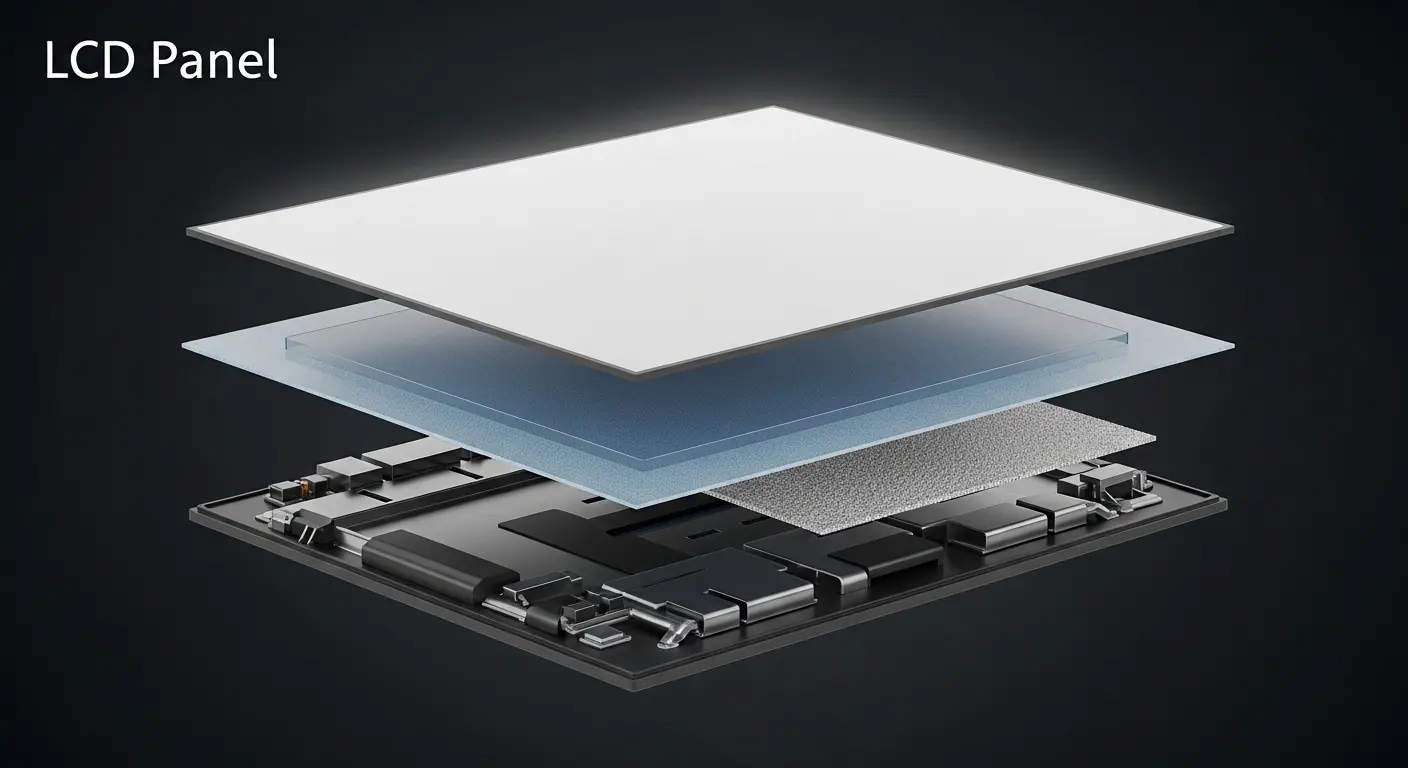
Air bonding involves attaching the touch panel to the LCD using double-sided adhesive along the perimeter, leaving a small gap of air. Optical bonding uses a clear adhesive (OCR or OCA) to fill that entire gap. Optical bonding is superior for 4.3 inch screens used outdoors because it eliminates internal reflections and prevents condensation/fogging.
| Feature | Air Bonding | Optical Bonding |
| Cost | Lower | Higher |
| Visibility | Good (Indoor) | Excellent (Outdoor/High Light) |
| Ruggedness | Standard | High (Impact resistant) |
| Repairability | Easier | Difficult |
For industrial or medical applications, I almost always recommend optical bonding. The added durability and the way it "pops" the colors of the 4.3 inch LCD display provides a level of perceived quality that air bonding simply cannot match.
How to Maintain and Clean Your Capacitive Touch Screen?
Cleaning a capacitive touch screen is straightforward but requires the right materials to avoid damaging the coatings. Use a microfiber cloth and a small amount of 70% isopropyl alcohol or a dedicated screen cleaner. Avoid using abrasive paper towels or ammonia-based cleaners, as these can strip away the oleophobic (anti-fingerprint) coating over time.
In industrial settings, the glass surface of a 4.3 inch capacitive touch screen is highly resistant to scratches. However, if your device is used in a workshop with metal shavings, adding a 2H or 3H hardness top layer during the manufacturing phase is a smart move. Regular maintenance ensures the sensors remain sensitive and the display stays crystal clear for the duration of the product's lifespan.
Why is the I2C Interface Preferred for This Size?
The I2C (Inter-Integrated Circuit) interface is the industry standard for 4.3 inch touch panels because it uses only two wires (SDA and SCL) for communication, saving valuable space on the PCB. It is fast enough for the data rates required by a 4.3-inch area and is natively supported by almost all modern microcontrollers and SoCs.
When you are designing your circuit, remember that I2C requires pull-up resistors. I've seen many prototypes fail simply because the pull-up values were too high for the bus speed, causing distorted signal waveforms. For a 4.3-inch panel, a 2.2k or 4.7k ohm resistor usually does the trick. If your cable run between the screen and the main board is longer than 10cm, you might even consider switching to a USB interface for better signal integrity.
Conclusion
The 4.3 inch capacitive touch screen remains a versatile and powerful tool for designers across all industries. By understanding the nuances of PCAP technology, interface options, and environmental protections like optical bonding, you can create a product that is not only functional but also a joy to use. Whether you are building a rugged industrial tool or a high-precision medical device, this display size offers the perfect canvas for your innovation.
Related Topics

Industrial Touch Display Technology Trends in the Era of Industry 4.0
Aug-07-2026

Touch Panel Selection Guide for Industrial, Outdoor, and Commercial Applications
Aug-07-2026

How to Choose the Right Touch Display Solution for Your Project
Aug-07-2026

How to Choose an Industrial Capacitive Touch Screen: 2026 Guide
Aug-07-2026
Get a Free Quote
✔ 16 Years Manufacture Service ★★★★★
✔ 3 Technical Experts And 52+ Project Engineers Will Assiste You
✔ Wanty Employs Over 52 Engineers, Many Of Whom Come From Leading Tft Lcd Module Companies Such As Tianma And Boe-Varitronix. Each Core Team Member Brings 15 Years Of Industry Experience.
✔ If you would like more information about our products and services, please contact us. Whether you need a standard solution or a customized one, we are here to meet your needs.
✔ Please complete the form below, and the selected location will contact you promptly. Thank you for visiting, and have a great day!
