
15 Inch Capacitive Touch Panel: The Complete 2026 Industrial Guide
News
Mar-15-2026
A 15 inch capacitive touch panel provides the ideal surface area for complex industrial controls and interactive public kiosks. This size has become a universal standard. It bridges the gap between portable tablets and large-scale monitors. In my years of optimizing human-machine interfaces, I have seen this form factor dominate. It offers high resolution without consuming excessive cabinet space. Choosing the right panel ensures your equipment survives harsh environments while maintaining a sleek, modern feel.
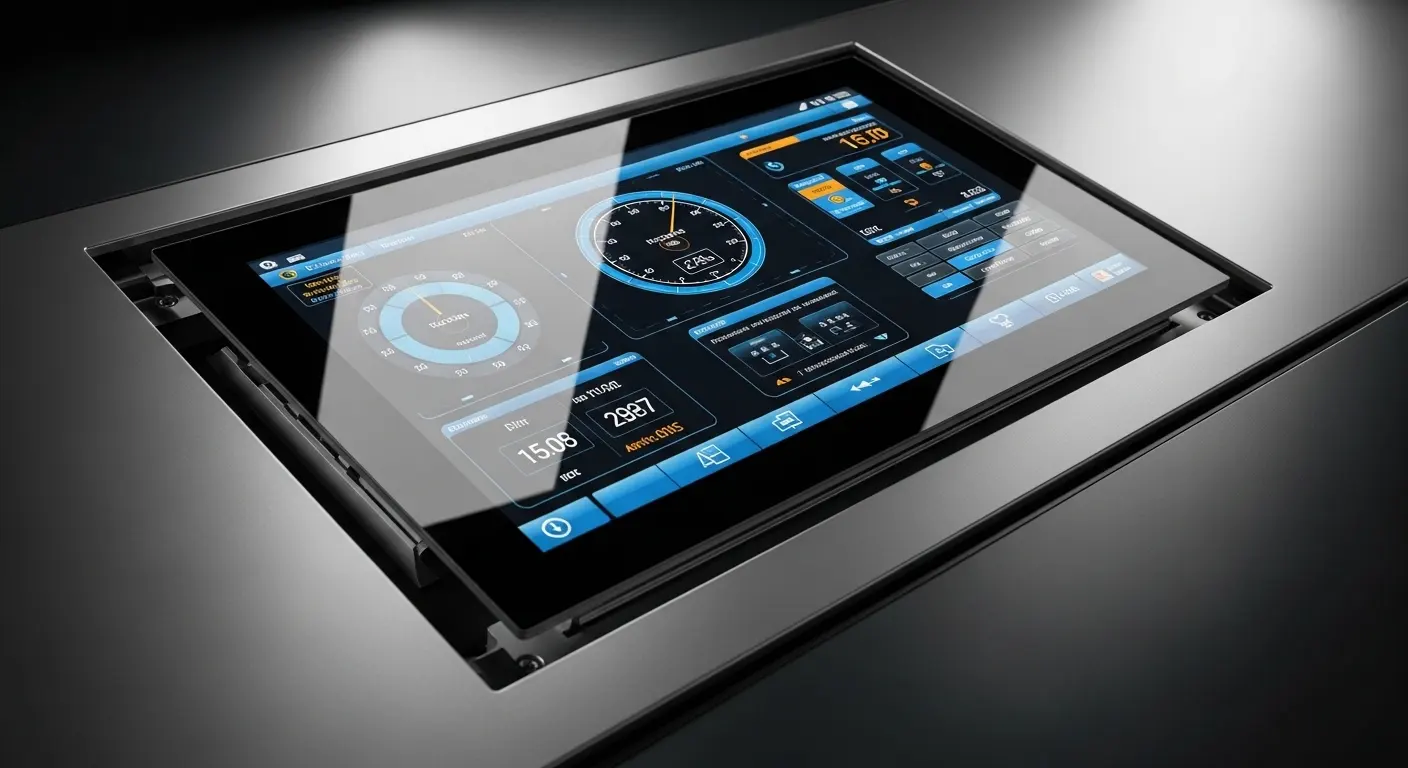
What is a 15 inch capacitive touch panel?
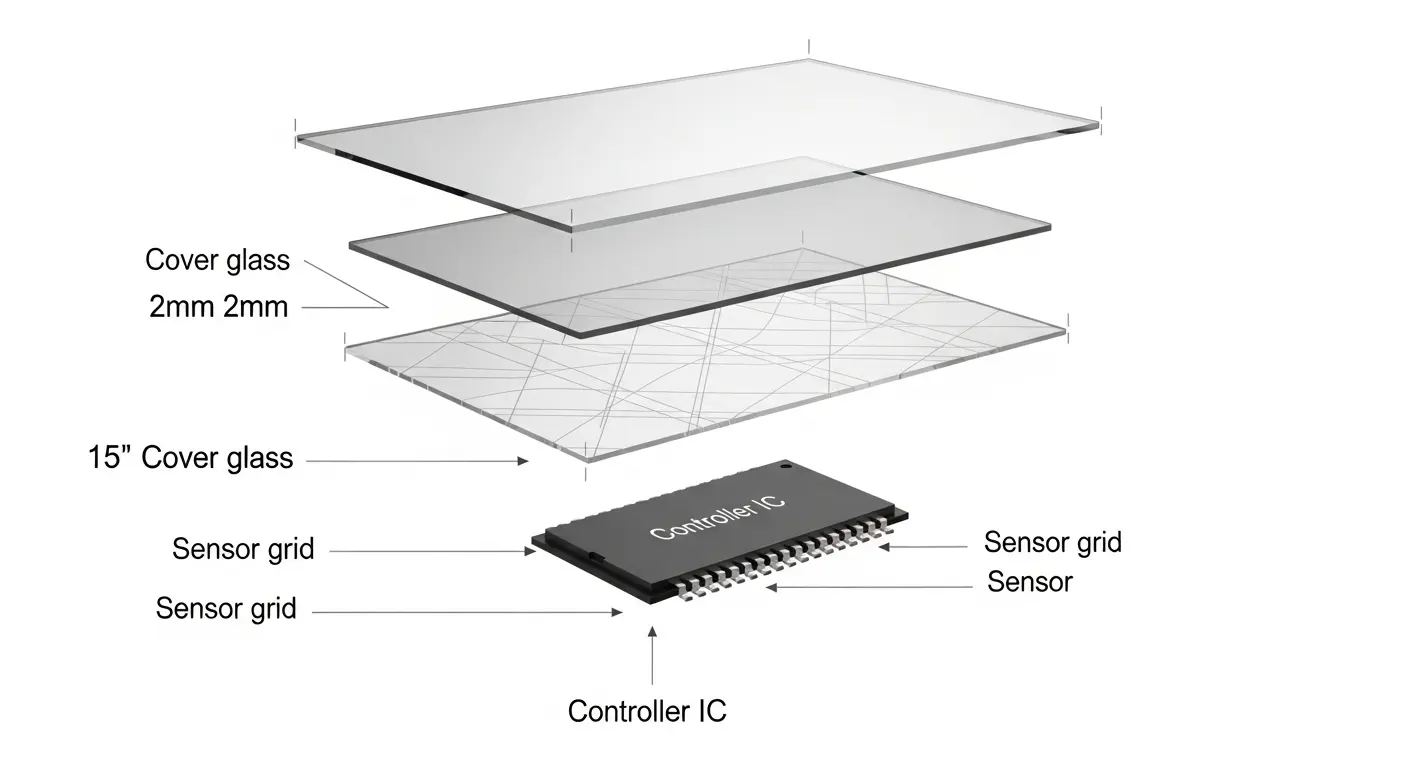
A 15 inch capacitive touch panel is a high-precision input device that uses an electrostatic grid to detect touch. It consists of a glass cover, a sensor layer, and a controller IC. This technology allows for multi-touch gestures like pinching and swiping. It is significantly more durable than resistive screens. This makes it perfect for professional-grade displays in medical, industrial, and retail sectors.
When you look at a 15 inch capacitive touch screen, you are looking at layers of innovation. The top layer is usually chemically strengthened glass. Below that, the sensor detects the electrical charge from your finger. Unlike older screens, it requires no physical pressure. I once saw an operator in a machine shop struggling with a resistive screen. He had to press so hard his finger hurt. We replaced it with a capacitive model. The difference in productivity was immediate.
This technology is called Projected Capacitive, or PCAP. It is the same tech found in high-end smartphones. However, industrial versions are much tougher. They can ignore water droplets and work through thick gloves.
Why is the 15-inch size the industry standard?
The 15-inch size is the industry standard because it matches the 4:3 aspect ratio of legacy industrial software. It provides enough space for complex menus while fitting into standard racks. Most industrial computers are designed for this specific cutout. It offers a balance between visibility and space efficiency. This makes it the go-to choice for factory automation and medical consoles.
In my experience, 15 inches is the "Goldilocks" zone. Smaller screens, like a 10.1 inch tft lcd touch display, are great for handhelds. Larger options, like a 21.5 inch touch screen, are perfect for wayfinding. But for a stationary machine controller, 15 inches feels right. It allows for large, easy-to-hit buttons. This reduces user error in fast-paced environments.
| Feature | 15 Inch PCAP | 10.1 Inch PCAP | 21.5 Inch PCAP |
| Typical Use | Industrial HMI | Handheld Tools | Digital Signage |
| Ergonomics | Desktop-like | Portable | Large Scale |
| Durability | High | Moderate | High |
| Visibility | Excellent | Good | Superior |
How does PCAP technology improve durability?
PCAP technology improves durability by using a solid glass front that protects the sensor from the environment. There are no moving parts and no flexible plastic layers to wear out. The surface is typically rated at 7H on the Mohs scale. This means it resists scratches from keys, tools, and heavy cleaning. It remains responsive even if the surface is scratched or dirty.
I remember a project in a high-humidity greenhouse. The old resistive screens would trap moisture between the layers. Within months, they became unreadable. By switching to a 15 inch capacitive touch screen, we eliminated that air gap. The solid glass construction prevented all moisture ingress. The screens have now been running for three years without failure.
Tip: If your device will be cleaned with harsh chemicals, always verify that the glass is chemically strengthened. This prevents the surface from becoming "cloudy" over time.
What are the key technical specifications to look for?
The key technical specifications include the controller IC, transparency rate, and operating temperature. Look for a controller like ILITEK or EETI for the best performance. A transparency rate of over 85% ensures a clear image. The operating temperature should ideally range from -20°C to +70°C. These specs ensure the panel works in freezing warehouses or hot factory floors.
You should also check the "Number of Touch Points." For most industrial uses, 10-point multi-touch is standard. This allows for complex gestures and multiple users. If you are building a specific tool, you might need a custom capacitive touch screen to fit a unique housing.
Key Specifications Table
| Metric | Standard Grade | Industrial Grade |
| Hardness | 3H - 5H | 7H (Toughened) |
| Transparency | 80% | >85% |
| Touch Points | 2 - 5 | 10+ |
| Interface | USB | USB / I2C / RS232 |
How to choose between standard and custom capacitive touch screens?
Choose a standard panel for common rack-mount systems where cost and speed are priorities. Choose a custom capacitive touch screen when you need unique dimensions or specialized glass treatments. Custom panels allow for specific branding, odd shapes, or extreme impact resistance. If your device has a proprietary design, a custom solution ensures a perfect fit and better aesthetics.
I often tell my clients: "Standard is for the cabinet; custom is for the brand." If you are building a medical device that needs to look high-end, you want a custom capacitive touch screen. You can add your logo directly to the silk-screened glass. You can also specify the thickness of the glass to meet safety standards.
For those needing a slightly more modern widescreen look, a 15.6 inch touch screen is a great alternative. It offers a 16:9 ratio, which is better for HD video content.
What are the benefits of optical bonding in 15-inch panels?
Optical bonding eliminates the air gap between the touch panel and the LCD using clear resin. This process drastically reduces reflections and improves contrast. It also prevents condensation from forming between the layers in humid environments. Furthermore, optical bonding increases the physical strength of the display. It makes the screen much more resistant to vibration and impact.
I once worked with a marine navigation company. Their screens were unreadable in direct sunlight. We applied optical bonding to their 15-inch panels. The results were staggering. The reflection rate dropped by nearly 90%. The users could finally see the charts clearly even at noon.
- Improved Visibility: Eliminates internal reflections.
- Ruggedness: Bonds the layers into a single, strong unit.
- Weatherproof: Prevents internal fogging and dust ingress.
How to troubleshoot common 15-inch touch screen issues?
To troubleshoot, first check the grounding of the device to eliminate electrical noise. Jittery or "ghost" touches are usually caused by electromagnetic interference. Ensure the USB or I2C cable is properly shielded. If the touch is unresponsive in specific areas, check for bezel pressure on the glass. Cleaning the surface with 70% isopropyl alcohol often solves minor sensitivity problems.
Most issues I see aren't hardware failures. They are integration errors. For example, if you mount the panel too tightly in a metal frame, it can trigger "fake" touches. Always leave a small gap for thermal expansion.
Warning: Never use abrasive cleaners on your touch panel. They can strip the anti-fingerprint coating and scratch the glass.
What are the most common applications for these panels?
Common applications include industrial HMI, medical diagnostic consoles, and retail POS systems. In factories, they control heavy machinery and track inventory. In hospitals, they display patient vitals and MRI scans. Retail stores use them for self-checkout kiosks and interactive wayfinding. The 15-inch size is perfect for any task that requires high-resolution data visualization.

- Industrial Automation: Machine controllers and PLC interfaces.
- Healthcare: Surgical monitors and patient check-in kiosks.
- Retail: High-end point-of-sale systems and digital signage.
- Marine: Navigation systems and engine monitoring displays.
Final thoughts on selecting your 15-inch touch solution
Choosing the right 15 inch capacitive touch panel is a long-term investment in your product's reliability. In 2026, users expect a fluid and durable interface. By focusing on high-quality PCAP technology and considering features like optical bonding, you ensure a superior user experience. Whether you need a standard fit or a custom capacitive touch screen, prioritize components that meet the rigorous demands of your specific industry.
Related Topics

Industrial Touch Display Technology Trends in the Era of Industry 4.0
Aug-07-2026

Touch Panel Selection Guide for Industrial, Outdoor, and Commercial Applications
Aug-07-2026

How to Choose the Right Touch Display Solution for Your Project
Aug-07-2026

How to Choose an Industrial Capacitive Touch Screen: 2026 Guide
Aug-07-2026
Get a Free Quote
✔ 16 Years Manufacture Service ★★★★★
✔ 3 Technical Experts And 52+ Project Engineers Will Assiste You
✔ Wanty Employs Over 52 Engineers, Many Of Whom Come From Leading Tft Lcd Module Companies Such As Tianma And Boe-Varitronix. Each Core Team Member Brings 15 Years Of Industry Experience.
✔ If you would like more information about our products and services, please contact us. Whether you need a standard solution or a customized one, we are here to meet your needs.
✔ Please complete the form below, and the selected location will contact you promptly. Thank you for visiting, and have a great day!
